<?xml version="1.0" encoding="utf-8"?><feed xmlns="http://www.w3.org/2005/Atom" ><generator uri="https://jekyllrb.com/" version="4.4.1">Jekyll</generator><link href="https://ubuntu-mate.org/rss.xml" rel="self" type="application/atom+xml" /><link href="https://ubuntu-mate.org/" rel="alternate" type="text/html" /><updated>2026-11-01T15:09:52+00:00</updated><id>https://ubuntu-mate.org/rss.xml</id><title type="html">Ubuntu MATE</title><entry xml:lang="en"><title type="html">Ubuntu MATE 26.10 Release Notes</title><link href="https://ubuntu-mate.org/blog/ubuntu-mate-stonking-stingray-release-notes/" rel="alternate" type="text/html" title="Ubuntu MATE 26.10 Release Notes" /><published>2026-10-14T00:00:00+00:00</published><updated>2026-10-17T18:20:47+00:00</updated><id>https://ubuntu-mate.org/blog/ubuntu-mate-stonking-stingray</id><content type="html" xml:base="https://ubuntu-mate.org/blog/ubuntu-mate-stonking-stingray-release-notes/"><![CDATA[<p>Lo and behold 👐, <strong>Ubuntu MATE 26.10 (Stonking Stingray)</strong> is here! 🎊 We are back 🦾 after a hiatus where the project skipped the 26.04 LTS release 🌥️ earlier this year.</p>

<p>This is the first official release from the <a href="https://discourse.ubuntu.com/t/hello-from-the-new-ubuntu-mate-maintainers-team/84246">new circle of friends</a> 💚. I thank them all for their love and grit 🏋️ in seeing UM revive and thrive. Sincere thanks also to members of the larger Ubuntu community for their guidance ➡️ , patience 🧘 and support ⚓. Thanks also to our users 👥; their testing, feedback and good wishes played a part in shaping the release. And we intend to continue the ‘Tenacious’ efforts into the future.🦖</p>

<p>Ubuntu MATE 26.10 is a <strong>standard release</strong> (non-LTS) and will be <strong>supported for 9 months, until July 2027</strong>.</p>

<h2 id="what-changed-in-ubuntu-mate-2610">What changed in Ubuntu MATE 26.10?</h2>

<p>The team! 😇😉</p>

<p>Joking apart, in terms of new features, we must admit we could not complete upgrade of all of MATE packages to their latest released version even with our best efforts. The urgency with which we gathered and worked, the high standard of Debian packaging, overall quality process involved in a release and not to forget the challenges of balancing personal life, all weighed in.</p>

<p>On a positive note though, the available packages are stable 🏛️. Many bugs 🦟 were fixed by upstream. Some of those fixes 🛠️ have made it to the release and we are planning to backport others after the release.</p>

<p>As Ubuntu MATE builds on top of Ubuntu, please see the <a href="https://documentation.ubuntu.com/release-notes/26.10/">Ubuntu 26.10 Release Notes</a> for details of all the changes and improvements.</p>

<h2 id="known-issues">Known Issues:</h2>

<ul>
  <li>
    <p>On the login screen, if we click on the password box, the password reveal/conceal (👁️) icon is broken (<a href="https://bugs.launchpad.net/ubuntu-mate/+bug/2169382">LP 2169382</a>).</p>
  </li>
  <li>
    <p>During installation, if you choose manual installation, the installer creates the EFI partition automatically (and forcefully), even when you have created one manually. However, there is no issue when manually creating other partitions like /boot, /, /home etc. Workaround is to leave creation of EFI partition to the installer itself and only create other partitions. (<a href="https://github.com/canonical/ubuntu-desktop-provision/issues/1572">1572</a>)</p>
  </li>
  <li>
    <p>If you are a visually challenged user, the screen-reader installation has a quirk. On ‘Select your timezone’ slide, you cannot come out of ‘Timezone’ box with a ‘Tab’. It keeps looping and reads timezone info. As a workaround, press ‘Shift+Tab’ twice, to reach ‘Next’ button in reverse direction. From there the installation continues without issue. This affects all flavors using ‘subiquity’ installer (<a href="https://github.com/canonical/ubuntu-desktop-provision/issues/1571">1571</a>).</p>
  </li>
  <li>
    <p>If you are testing on virtual machine, you may see an error pop-up saying, “Sorry, Ubuntu XX.YY has experienced an internal error.”, and if you click on ‘Show details’, it will (mostly) be /usr/bin/blueman-applet. There is no issue on bare-metal installs with bluetooth support.</p>
  </li>
  <li>
    <p>In live-session, ‘redshift’ application <em>may not</em> work. This is because, the location service has either not started or failed to start. There is no issue on an installed system (vm or bare-metal) as tested.</p>
  </li>
  <li>
    <p>In the installer, the links shown in ‘Join the community’ slide needs updating (<a href="https://bugs.launchpad.net/ubuntu/+source/ubuntu-mate-settings/+bug/2170678">LP 2170678</a>).</p>
  </li>
</ul>

<h2 id="other-changes">Other Changes:</h2>

<p>There are some changes that may affect some UM users who rely on scripting and automation 🧙. If you are using any of the following packages, please check and adjust accordingly.</p>

<ul>
  <li>
    <p>We have migrated to <code class="language-plaintext highlighter-rouge">dracut</code> from <code class="language-plaintext highlighter-rouge">initramfs-tools</code>. While the <code class="language-plaintext highlighter-rouge">update-initramfs -u</code> command still works, specific options that you used may not be available any more.</p>
  </li>
  <li>
    <p>We have dropped <code class="language-plaintext highlighter-rouge">ifupdown</code> and embraced <code class="language-plaintext highlighter-rouge">netplan</code> fully. This had to be done because <code class="language-plaintext highlighter-rouge">ifupdown</code> was failing to bring ethernet devices in live-session (due to deprecated <code class="language-plaintext highlighter-rouge">dhclient</code> being hard-coded). This also means, there will be no <code class="language-plaintext highlighter-rouge">pppoeconf</code> package which pulls-in <code class="language-plaintext highlighter-rouge">ifupdown</code>.</p>
  </li>
  <li>
    <p>Latest version of <code class="language-plaintext highlighter-rouge">gdebi</code> is broken. It fails when we click on ‘Install’ and enter password. Instead of shipping it in non-functional state, we decided to drop it from the iso. We will work to fix the bug (<a href="https://bugs.launchpad.net/ubuntu/+source/gdebi/+bug/2151797">LP 2151797</a>).</p>
  </li>
</ul>

<h2 id="download-ubuntu-mate-2610">Download Ubuntu MATE 26.10</h2>

<div class="jumbotron">

    <h2>Download Ubuntu MATE 26.10</h2>

    <p>Available for 64-bit desktop computers!</p>


        <a href="/download/" class="btn">Download</a>
    

</div>

<h2 id="upgrading-to-ubuntu-mate-2610">Upgrading to Ubuntu MATE 26.10</h2>

<p>For upgrading information, refer to the discourse topic “<a href="https://discourse.ubuntu.com/t/upgrading-to-ubuntu-mate-26-10/89421">Upgrading to Ubuntu MATE 26.10</a>”.</p>

<p><strong>NOTE:</strong> There are no offline upgrade options for Ubuntu MATE. Please ensure you have network connectivity to one of the official mirrors or to a locally accessible mirror and follow the instructions above.</p>

<p><strong>P.S.</strong>: The Ubuntu MATE flavoured stonking stingray mascot on the
download page was contributed by our community user (Thank you <em>@indigo</em>).
It is easier to participate and contribute to Ubuntu MATE than you probably
think. <em>Your</em> contribution could be part of next Ubuntu MATE release!
See <a href="https://ubuntu-mate.org/get-involved/">get-involved</a> page to know more.</p>]]></content><author><name>SuiVue</name></author><category term="release" /><summary type="html"><![CDATA[What's new in Ubuntu MATE 26.10 (Stonking Stingray)]]></summary></entry><entry xml:lang="en"><title type="html">Ubuntu MATE 25.04 Release Notes</title><link href="https://ubuntu-mate.org/blog/ubuntu-mate-plucky-puffin-release-notes/" rel="alternate" type="text/html" title="Ubuntu MATE 25.04 Release Notes" /><published>2025-04-15T00:00:00+00:00</published><updated>2025-04-19T04:48:24+00:00</updated><id>https://ubuntu-mate.org/blog/ubuntu-mate-plucky-puffin</id><content type="html" xml:base="https://ubuntu-mate.org/blog/ubuntu-mate-plucky-puffin-release-notes/"><![CDATA[<p>Ubuntu MATE 25.04 is ready to soar! 🪽 Celebrating our 10th anniversary as an official Ubuntu flavour with the reliable MATE Desktop experience you love, built on the latest Ubuntu foundations. Read on to learn more 👓️</p>

<h2 id="a-decade-of-mate">A Decade of MATE</h2>

<p>This release marks the 10th anniversary of Ubuntu MATE becoming an official Ubuntu flavour. From our humble beginnings, we’ve developed a loyal following of users who value a traditional desktop experience with modern capabilities. Thanks to our amazing community, contributors, and users who have been with us throughout this journey. Here’s to many more years of Ubuntu MATE! 🥂</p>

<h2 id="what-changed-in-ubuntu-mate-2504">What changed in Ubuntu MATE 25.04?</h2>

<p>Here are the highlights of what’s new in the Plucky Puffin release:</p>

<ul>
  <li>Celebrating 10 years as an official Ubuntu flavour! 🎂</li>
  <li>Optional full disk encryption in the installer 🔐
    <ul>
      <li>Enhanced advanced partitioning options</li>
      <li>Better interaction with existing BitLocker-enabled Windows installations</li>
      <li>Improved experience when installing alongside other operating systems</li>
    </ul>
  </li>
</ul>

<h2 id="major-applications">Major Applications</h2>

<p>Accompanying <strong>MATE Desktop</strong> 🧉 and <strong>Linux 6.14</strong> 🐧 are <strong>Firefox 137</strong> 🔥🦊,
<strong>Evolution 3.56</strong> 📧, <strong>LibreOffice 25.2.2</strong> 📚</p>

<p>See the <a href="https://discourse.ubuntu.com/t/plucky-puffin-release-notes/48687">Ubuntu 25.04 Release Notes</a> 
for details of all the changes and improvements that Ubuntu MATE benefits from.</p>

<div class="jumbotron">

    <h2>Download Ubuntu MATE 25.04</h2>

    <p>Available for 64-bit desktop computers!</p>


        <a href="/download/" class="btn">Download</a>
    

</div>

<h2 id="upgrading-to-ubuntu-mate-2504">Upgrading to Ubuntu MATE 25.04</h2>

<p>The upgrade process to Ubuntu MATE 25.04 is the same as Ubuntu.</p>

<ul>
  <li><a href="https://help.ubuntu.com/community/PluckyUpgrades">Ubuntu 25.04 Upgrade Process</a></li>
</ul>

<p>There are no offline upgrade options for Ubuntu MATE. Please ensure you have
network connectivity to one of the official mirrors or to a locally accessible
mirror and follow the instructions above.</p>]]></content><author><name>Martin Wimpress</name></author><category term="release" /><summary type="html"><![CDATA[What's new in Ubuntu MATE 25.04 (Plucky Puffin)]]></summary></entry><entry xml:lang="en"><title type="html">Ubuntu MATE 24.10 Release Notes</title><link href="https://ubuntu-mate.org/blog/ubuntu-mate-oracular-oriole-release-notes/" rel="alternate" type="text/html" title="Ubuntu MATE 24.10 Release Notes" /><published>2024-10-07T00:00:00+00:00</published><updated>2025-04-06T16:54:02+00:00</updated><id>https://ubuntu-mate.org/blog/ubuntu-mate-oracular-oriole</id><content type="html" xml:base="https://ubuntu-mate.org/blog/ubuntu-mate-oracular-oriole-release-notes/"><![CDATA[<p>Ubuntu MATE 24.10 is more of what you like, stable MATE Desktop on top of current Ubuntu. Read on to learn more 👓️</p>

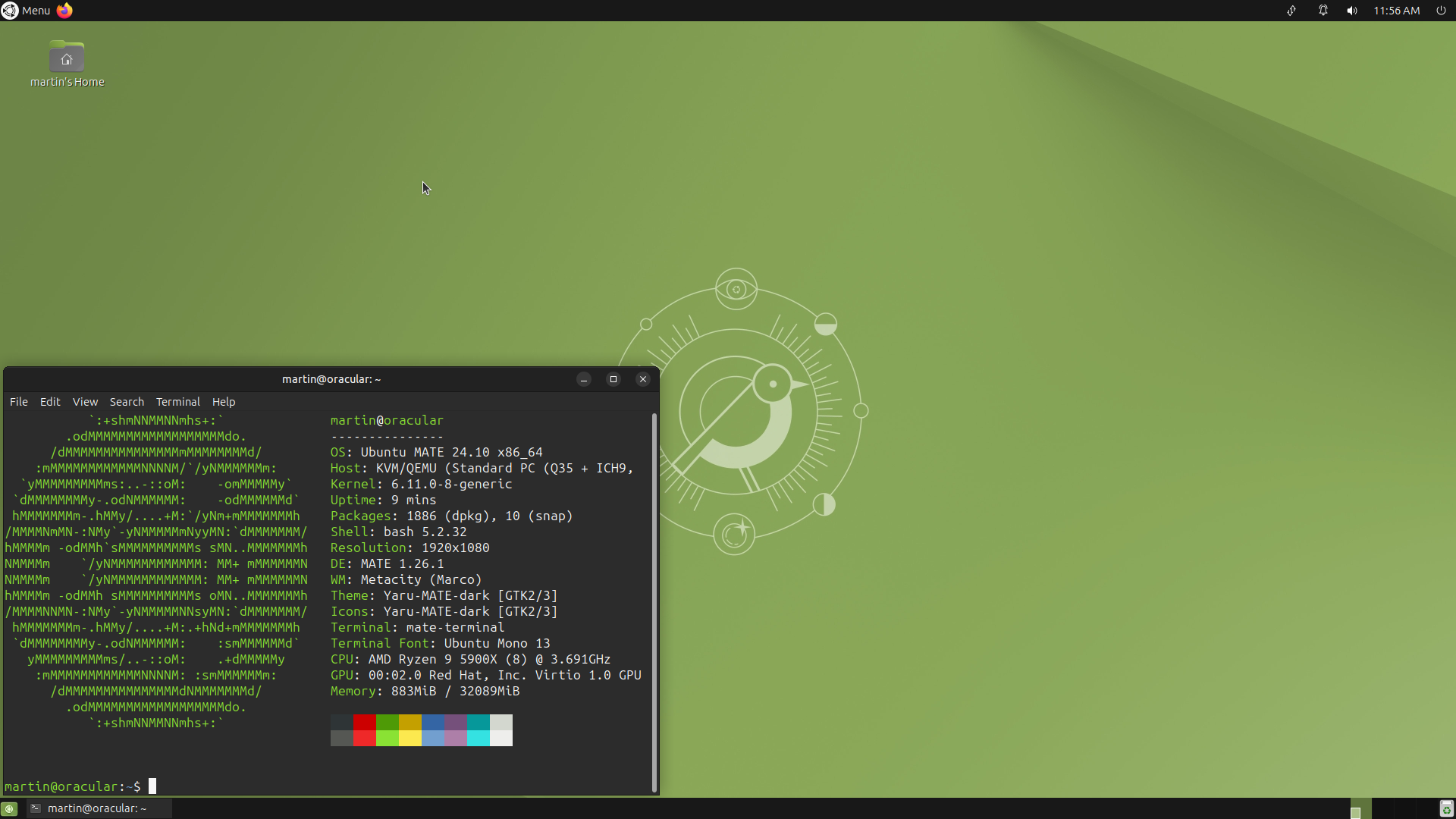
<p class="center"><img src="/images/blog/oracular/screenshot.png" alt="Ubuntu MATE 24.10" />
<strong>Ubuntu MATE 24.10</strong></p>

<h2 id="thank-you-">Thank you! 🙇</h2>

<p><strong>My sincere thanks to everyone who has played an active role in improving Ubuntu MATE for this release 👏
I’d like to acknowledge the close collaboration with the Ubuntu Foundations team and the Ubuntu flavour teams, in particular <a href="https://launchpad.net/~eeickmeyer">Erich Eickmeyer</a> who pushed critical fixes while I was travelling.
Thank you!</strong> 💚</p>

<h2 id="what-changed-since-the-ubuntu-mate-2404-lts">What changed since the Ubuntu MATE 24.04 LTS?</h2>

<p>Here are the highlights of what’s changed since the <a href="https://ubuntu-mate.org/blog/ubuntu-mate-noble-numbat-release-notes/">release of Ubuntu MATE 24.04</a></p>

<ul>
  <li>Ships stable <a href="https://mate-desktop.org">MATE Desktop</a> 1.26.2 with a handful of bug fixes 🐛</li>
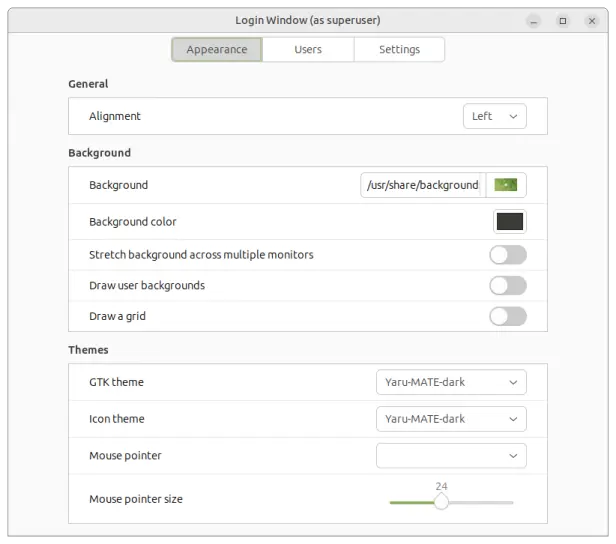
  <li>Switched back to Slick Greeter (replacing Arctica Greeter) due to race-condition in the boot process which results the display manager failing to initialise.
    <ul>
      <li>Returning to Slick Greeter reintroduces the ability to easily configure the login screen via a graphical application, something users have been requesting be re-instated 👍</li>
    </ul>
  </li>
  <li>Ubuntu MATE 24.10 .iso 📀 is now 3.3GB 🤏 Down from 4.1GB in the 24.04 LTS release.
    <ul>
      <li>This is thanks to some fixes in the installer that no longer require as many packages in the live-seed.</li>
    </ul>
  </li>
</ul>

<p class="center"><img src="/images/blog/oracular/login-window.png" alt="Login Window Configuration" />
<strong>Login Window</strong></p>

<h2 id="what-didnt-change-since-the-ubuntu-mate-2404-lts">What didn’t change since the Ubuntu MATE 24.04 LTS?</h2>

<p>If you follow upstream MATE Desktop development, then you’ll have noticed that Ubuntu MATE 24.10 doesn’t ship with the recently released MATE Desktop 1.28 🧉</p>

<p>I have prepared packaging for MATE Desktop 1.28, along with the associated components but encountered some bugs and regressions 🐞 I wasn’t able to get things to a standard I’m happy to ship be default, so it is tried and true MATE 1.26.2 one last time 🪨</p>

<h2 id="major-applications">Major Applications</h2>

<p>Accompanying <strong>MATE Desktop 1.26.2</strong> 🧉 and <strong>Linux 6.11</strong> 🐧 are <strong>Firefox 131</strong> 🔥🦊,
<strong>Celluloid 0.27</strong> 🎥, <strong>Evolution 3.54</strong> 📧, <strong>LibreOffice 24.8.2</strong> 📚</p>

<p>See the <a href="https://discourse.ubuntu.com/t/oracular-oriole-release-notes/44878/1">Ubuntu 24.10 Release Notes</a>
for details of all the changes and improvements that Ubuntu MATE benefits from.</p>

<div class="jumbotron">

    <h2>Download Ubuntu MATE 24.10</h2>

    <p>Available for 64-bit desktop computers!</p>


        <a href="/download/" class="btn">Download</a>
    

</div>

<h2 id="upgrading-to-ubuntu-mate-2410">Upgrading to Ubuntu MATE 24.10</h2>

<p>The upgrade process to Ubuntu MATE 24.10 is the same as Ubuntu.</p>

<ul>
  <li><a href="https://help.ubuntu.com/community/OracularUpgrades">Ubuntu 24.10 Upgrade Process</a></li>
</ul>

<p>There are no offline upgrade options for Ubuntu MATE. Please ensure you have
network connectivity to one of the official mirrors or to a locally accessible
mirror and follow the instructions above.</p>]]></content><author><name>Martin Wimpress</name></author><category term="release" /><summary type="html"><![CDATA[What's new in Ubuntu MATE 24.10 LTS (Oracular Oriole)]]></summary></entry><entry xml:lang="en"><title type="html">Ubuntu MATE 24.04 LTS Release Notes</title><link href="https://ubuntu-mate.org/blog/ubuntu-mate-noble-numbat-release-notes/" rel="alternate" type="text/html" title="Ubuntu MATE 24.04 LTS Release Notes" /><published>2024-04-23T00:00:00+00:00</published><updated>2025-04-06T16:54:02+00:00</updated><id>https://ubuntu-mate.org/blog/ubuntu-mate-noble-numbat</id><content type="html" xml:base="https://ubuntu-mate.org/blog/ubuntu-mate-noble-numbat-release-notes/"><![CDATA[<p>Ubuntu MATE 24.04 is more of what you like, stable MATE Desktop on top of current Ubuntu.
This release rolls up some fixes and more closely aligns with Ubuntu. Read on to learn more 👓️</p>

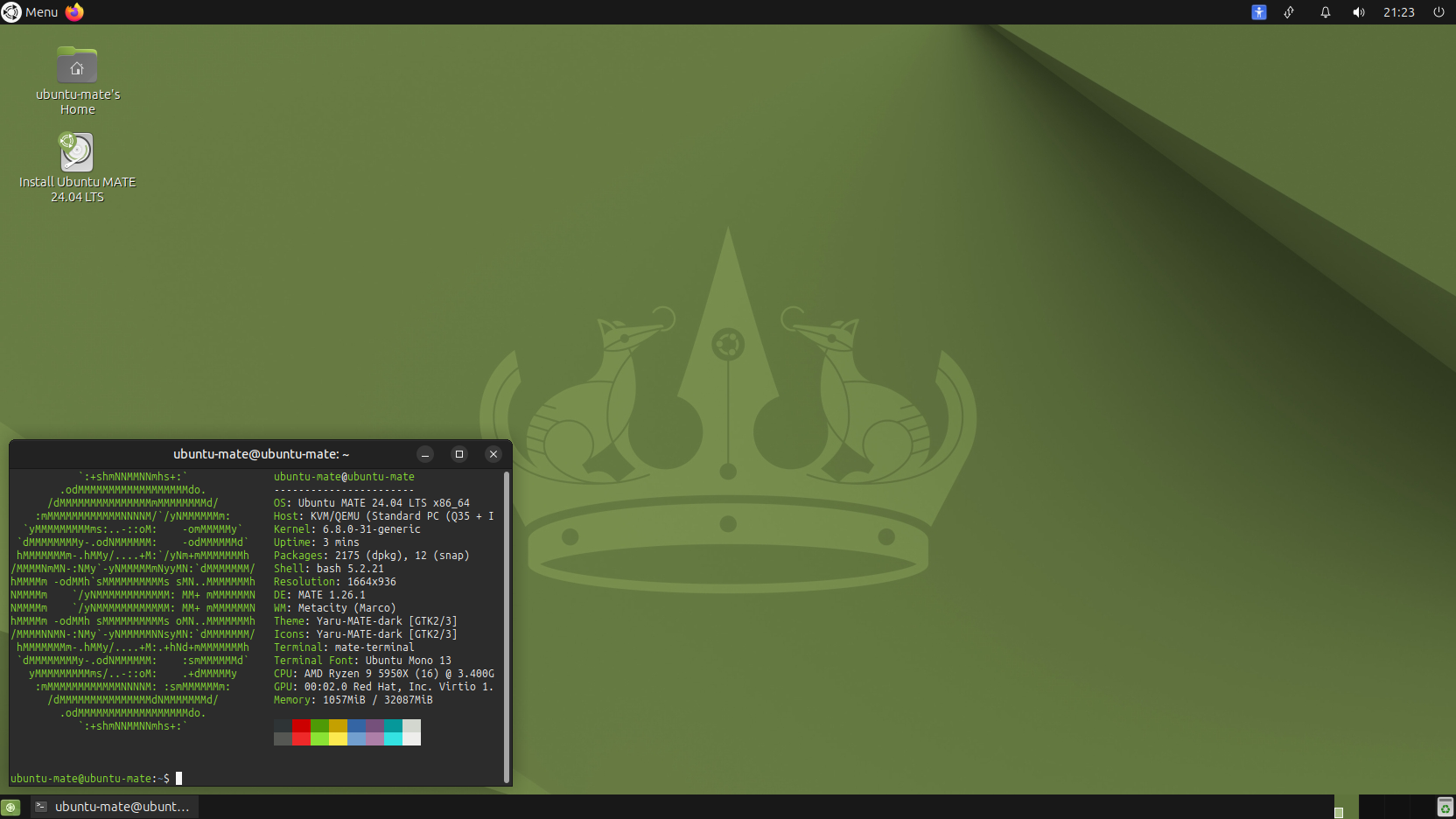
<p class="center"><img src="/images/blog/noble/screenshot.png" alt="Ubuntu MATE 24.04 LTS" />
<strong>Ubuntu MATE 24.04 LTS</strong></p>

<h2 id="thank-you-">Thank you! 🙇</h2>

<p><strong>I’d like to extend my sincere thanks to everyone who has played an active role in improving Ubuntu MATE for this release 👏
I’d like to acknowledge the close collaboration with all the Ubuntu flavour teams and the Ubuntu Foundations and Desktop Teams.
The assistance and support provided by <a href="https://launchpad.net/~eeickmeyer">Erich Eickmeyer</a> (Ubuntu Studio), <a href="https://launchpad.net/~tsimonq2">Simon Quigley</a> (Lubuntu) and <a href="https://launchpad.net/~fossfreedom">David Muhammed</a> (Ubuntu Budgie) have been invaluable.
Thank you!</strong> 💚</p>

<h2 id="what-changed-since-the-ubuntu-mate-2310">What changed since the Ubuntu MATE 23.10?</h2>

<p>Here are the highlights of what’s changed since the <a href="https://ubuntu-mate.org/blog/ubuntu-mate-mantic-minotaur-release-notes/">release of Ubuntu MATE 23.10</a></p>

<ul>
  <li>Ships stable <a href="https://mate-desktop.org">MATE Desktop</a> 1.26.2 with a selection of bug fixes 🐛 and minor improvements 🩹 to associated components.</li>
  <li>Integrated the new ✨ <a href="https://snapcraft.io/ubuntu-desktop-bootstrap">Ubuntu Desktop Bootstrap</a> installer 📀</li>
  <li>Added <a href="https://gitlab.gnome.org/World/gnome-firmware">GNOME Firmware</a>, that replaces <a href="https://snapcraft.io/firmware-updater">Firmware Updater</a>.</li>
  <li>Added <a href="https://snapcraft.io/snap-store">App Center</a>, that replaces Software Boutique.</li>
  <li>Retired Ubuntu MATE Welcome; although it is still available for Ubuntu MATE 23.10 and earlier.</li>
</ul>

<h2 id="major-applications">Major Applications</h2>

<p>Accompanying <strong>MATE Desktop 1.26.2</strong> 🧉 and <strong>Linux 6.8</strong> 🐧 are <strong>Firefox 125</strong> 🔥🦊,
<strong>Celluloid 0.26</strong> 🎥, <strong>Evolution 3.52</strong> 📧, <strong>LibreOffice 24.2.2</strong> 📚</p>

<p>See the <a href="https://discourse.ubuntu.com/t/noble-numbat-release-notes/39890">Ubuntu 24.04 Release Notes</a>
for details of all the changes and improvements that Ubuntu MATE benefits from.</p>

<div class="jumbotron">

    <h2>Download Ubuntu MATE 24.04</h2>

    <p>Available for 64-bit desktop computers!</p>


        <a href="/download/" class="btn">Download</a>
    

</div>

<h2 id="upgrading-to-ubuntu-mate-2404">Upgrading to Ubuntu MATE 24.04</h2>

<p>The upgrade process to Ubuntu MATE 24.04 LTS from either Ubuntu MATE 22.04 LTS or
23.10 is the same as Ubuntu.</p>

<ul>
  <li><a href="https://help.ubuntu.com/community/NobleUpgrades">Ubuntu 24.04 Upgrade Process</a></li>
</ul>

<p>There are no offline upgrade options for Ubuntu MATE. Please ensure you have
network connectivity to one of the official mirrors or to a locally accessible
mirror and follow the instructions above.</p>]]></content><author><name>Martin Wimpress</name></author><category term="release" /><summary type="html"><![CDATA[What's new in Ubuntu MATE 24.04 LTS (Noble Numbat)]]></summary></entry><entry xml:lang="en"><title type="html">Ubuntu MATE 23.10 Release Notes</title><link href="https://ubuntu-mate.org/blog/ubuntu-mate-mantic-minotaur-release-notes/" rel="alternate" type="text/html" title="Ubuntu MATE 23.10 Release Notes" /><published>2023-09-25T00:00:00+00:00</published><updated>2025-04-06T16:54:02+00:00</updated><id>https://ubuntu-mate.org/blog/ubuntu-mate-mantic-minotaur</id><content type="html" xml:base="https://ubuntu-mate.org/blog/ubuntu-mate-mantic-minotaur-release-notes/"><![CDATA[<p>Ubuntu MATE 23.10 is more of what you like, stable MATE Desktop on top of current Ubuntu.
This release rolls up a number of bugs fixes and updates that continues to build on recent releases, where the focus has been on improving stability 🪨</p>

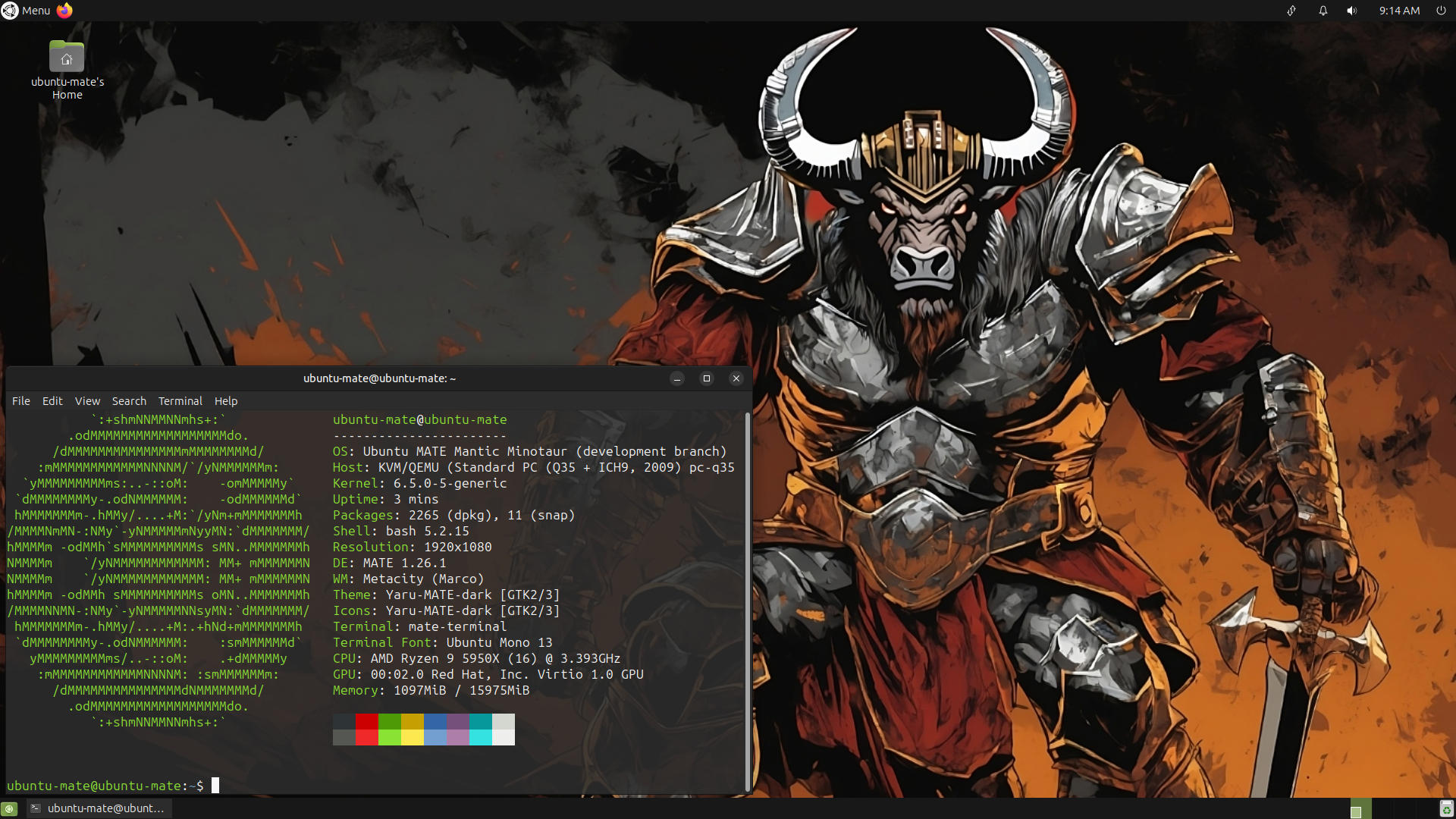
<p class="center"><img src="/images/blog/mantic/screenshot.png" alt="Ubuntu MATE 23.10" />
<strong>Ubuntu MATE 23.10</strong></p>

<h2 id="thank-you-">Thank you! 🙇</h2>

<p><strong>I’d like to extend my sincere thanks to everyone who has played an active role in improving Ubuntu MATE for this release 👏 From reporting bugs, submitting translations, providing patches, contributing to <a href="https://www.patreon.com/ubuntu_mate">our crowd-funding</a>, developing new features, creating artwork, offering community support, actively
testing and providing QA feedback to writing documentation or creating this fabulous website. Thank you!</strong> 💚</p>

<h2 id="what-changed-since-the-ubuntu-mate-2304">What changed since the Ubuntu MATE 23.04?</h2>

<p>Here are the highlights of what’s changed since the <a href="https://ubuntu-mate.org/blog/ubuntu-mate-lunar-lobster-release-notes/">release of Ubuntu MATE 23.04</a></p>

<h3 id="mate-desktop">MATE Desktop</h3>

<p><a href="https://mate-desktop.org">MATE Desktop</a> has been updated to 1.26.2 with a selection of bugs fixes 🐛 and minor improvements 🩹 to associated components.</p>

<ul>
  <li><code class="language-plaintext highlighter-rouge">caja-rename</code> 23.10.1-1 has been ported from Python to C.</li>
  <li><code class="language-plaintext highlighter-rouge">libmatemixer</code> 1.26.0-2+deb12u1 resolves heap corruption and application crashes when removing USB audio devices.</li>
  <li><code class="language-plaintext highlighter-rouge">mate-desktop</code> 1.26.2-1 improves portals support.</li>
  <li><code class="language-plaintext highlighter-rouge">mate-notification-daemon</code> 1.26.1-1 fixes several memory leaks.</li>
  <li><code class="language-plaintext highlighter-rouge">mate-system-monitor</code> 1.26.0-5 now picks up libexec files from <code class="language-plaintext highlighter-rouge">/usr/libexec</code></li>
  <li><code class="language-plaintext highlighter-rouge">mate-session-manager</code> 1.26.1-2 set <code class="language-plaintext highlighter-rouge">LIBEXECDIR</code> to <code class="language-plaintext highlighter-rouge">/usr/libexec/</code> for correct interaction with <code class="language-plaintext highlighter-rouge">mate-system-monitor</code> ☝️</li>
  <li><code class="language-plaintext highlighter-rouge">mate-user-guide</code> 1.26.2-1 is a new upstream release.</li>
  <li><code class="language-plaintext highlighter-rouge">mate-utils</code> 1.26.1-1 fixes several memory leaks.</li>
</ul>

<h4 id="yet-more-ai-generated-wallpaper">Yet more AI Generated wallpaper</h4>

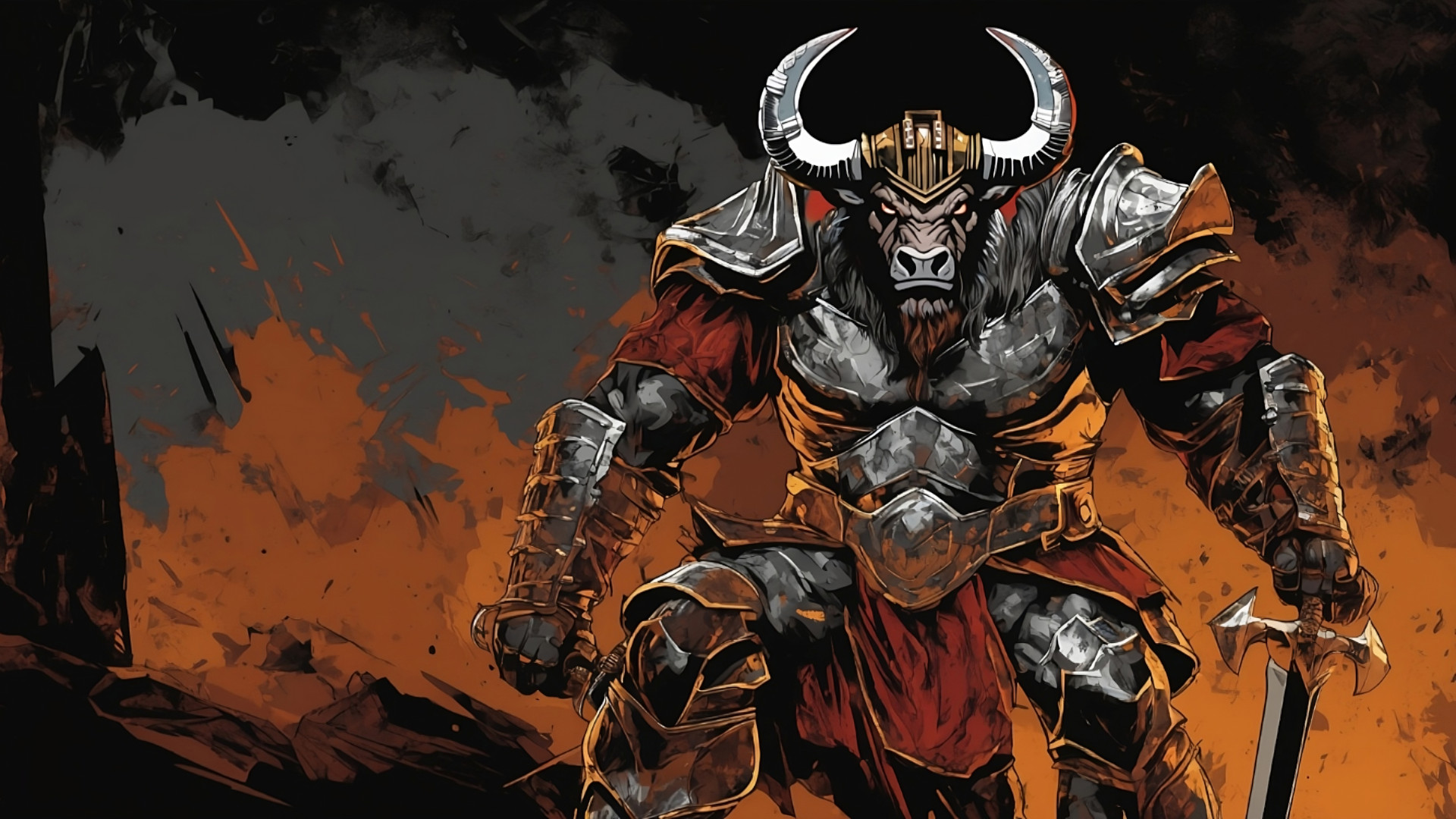
<p>My friend <a href="https://twitter.com/simonjbutcher">Simon Butcher</a> 🇬🇧 is Head of Research Platforms at Queen Mary University of London managing the Apocrita HPC cluster service. <strong>Once again, Simon has created a stunning AI-generated 🤖🧠 wallpaper for Ubuntu MATE using bleeding edge diffusion models</strong> 🖌 <em>The sample below is 1920x1080 but the version included in Ubuntu MATE 23.10 are 3840x2160</em>.</p>

<div class="gallery">
    
        <div class="gallery-item">
            <img src="/images/blog/mantic/minotaur-king.jpg" alt="" />

            
        </div>
    
</div>

<p>Here’s what Simon has to say about the process of creating this new wallpaper for Mantic Minotaur:</p>

<blockquote>
  <p>Since Minotaurs are imaginary creatures, interpretations tend to vary widely. I wanted to produce an image of a powerful creature in a graphic novel style, although not gruesome like many depictions. The latest open source Stable Diffusion XL base model was trained at a higher resolution and the difference in quality has been noticeable, particularly at better overall consistency and detail, while reducing anatomical irregularities in images. The image was produced locally using Linux and an NVIDIA A100 80GB GPU, starting from an initial text prompt and refined using img2img, inpainting and upscaling features.</p>
</blockquote>

<h2 id="major-applications">Major Applications</h2>

<p>Accompanying <strong>MATE Desktop 1.26.2</strong> 🧉 and <strong>Linux 6.5</strong> 🐧 are <strong>Firefox 118</strong> 🔥🦊,
<strong>Celluloid 0.25</strong> 🎥, <strong>Evolution 3.50</strong> 📧, <strong>LibreOffice 7.6.1</strong> 📚</p>

<p>See the <a href="https://discourse.ubuntu.com/t/mantic-minotaur-release-notes/35534">Ubuntu 23.10 Release Notes</a>
for details of all the changes and improvements that Ubuntu MATE benefits from.</p>

<div class="jumbotron">

    <h2>Download Ubuntu MATE 23.10</h2>

    <p>Available for 64-bit desktop computers!</p>


        <a href="/download/" class="btn">Download</a>
    

</div>

<h2 id="upgrading-from-ubuntu-mate-2304">Upgrading from Ubuntu MATE 23.04</h2>

<p>You can upgrade to Ubuntu MATE 23.10 from Ubuntu MATE 23.04. Ensure that you
have all updates installed for your current version of Ubuntu MATE before you
upgrade.</p>

<ul>
  <li>Open the “Software &amp; Updates” from the Control Center.</li>
  <li>Select the 3rd Tab called “Updates”.</li>
  <li>Set the “Notify me of a new Ubuntu version” drop down menu to “For any new version”.</li>
  <li>Press <kbd>Alt</kbd>+<kbd>F2</kbd> and type in <code class="language-plaintext highlighter-rouge">update-manager -c -d</code> into the command box.</li>
  <li>Update Manager should open up and tell you: New distribution release ‘23.10’ is available.
    <ul>
      <li>If not, you can use <code class="language-plaintext highlighter-rouge">/usr/lib/ubuntu-release-upgrader/check-new-release-gtk</code></li>
    </ul>
  </li>
  <li>Click “Upgrade” and follow the on-screen instructions.</li>
</ul>

<p>There are no offline upgrade options for Ubuntu MATE. Please ensure you have
network connectivity to one of the official mirrors or to a locally accessible
mirror and follow the instructions above.</p>

<h2 id="feedback">Feedback</h2>

<p>Is there anything you can help with or want to be involved in? Maybe you just
want to discuss your experiences or ask the maintainers some questions. Please
<a href="https://ubuntu-mate.community/">come and talk to us</a>.</p>]]></content><author><name>Martin Wimpress</name></author><category term="release" /><summary type="html"><![CDATA[What's new in Ubuntu MATE 23.10 (Mantic Minotaur)]]></summary></entry><entry xml:lang="en"><title type="html">Ubuntu MATE 23.04 Release Notes</title><link href="https://ubuntu-mate.org/blog/ubuntu-mate-lunar-lobster-release-notes/" rel="alternate" type="text/html" title="Ubuntu MATE 23.04 Release Notes" /><published>2023-04-20T00:00:00+00:00</published><updated>2025-04-06T16:54:02+00:00</updated><id>https://ubuntu-mate.org/blog/ubuntu-mate-lunar-lobster</id><content type="html" xml:base="https://ubuntu-mate.org/blog/ubuntu-mate-lunar-lobster-release-notes/"><![CDATA[<p>Ubuntu MATE 23.04 is the least exciting Ubuntu MATE release ever. The good news is, if you liked Ubuntu MATE 22.10 then it is more of the same; just with better artwork! 🖌️🖼️ I entered this development cycle full of energy and enthusiasm off the back of the <a href="https://ubuntu.com/blog/ubuntu-summit-2022-reflections">Ubuntu Summit in Prague</a>, but then I was seriously ill 🤒 and had a long stay in hospital. I’m recovering well and should be 100% in a couple of months. This setback and also changing jobs a couple of months ago has meant that I’ve not been able to invest the usual time and effort into Ubuntu MATE. I’m happy to say that I’ve been able to deliver another solid 🪨 release with the help of the Ubuntu community.</p>

<h2 id="thank-you-">Thank you! 🙇</h2>

<p>**I’d like to extend my sincere thanks to everyone who has played an active role in improving Ubuntu MATE for this release 👏 From reporting bugs, submitting translations, providing patches, contributing to <a href="https://www.patreon.com/ubuntu_mate">our crowd-funding</a>, developing new features, creating artwork, offering community support, actively
testing and providing QA feedback to writing documentation or creating this fabulous website. Thank you! 💚</p>

<h2 id="what-changed-since-the-ubuntu-mate-2210">What changed since the Ubuntu MATE 22.10?</h2>

<p>Here are the highlights of what’s changed since the <a href="https://ubuntu-mate.org/blog/ubuntu-mate-kinetic-kudu-release-notes/">release of Ubuntu MATE 22.10</a></p>

<h3 id="mate-desktop">MATE Desktop</h3>

<p>Both <a href="https://mate-desktop.org">MATE Desktop</a> and
<a href="https://github.com/AyatanaIndicators">Ayatana Indicators</a> have seen some version bumps that fix 🩹 an assortment of minor bugs 🐛</p>

<h4 id="ai-generated-wallpapers-yet-again">AI Generated wallpapers (yet again!)</h4>

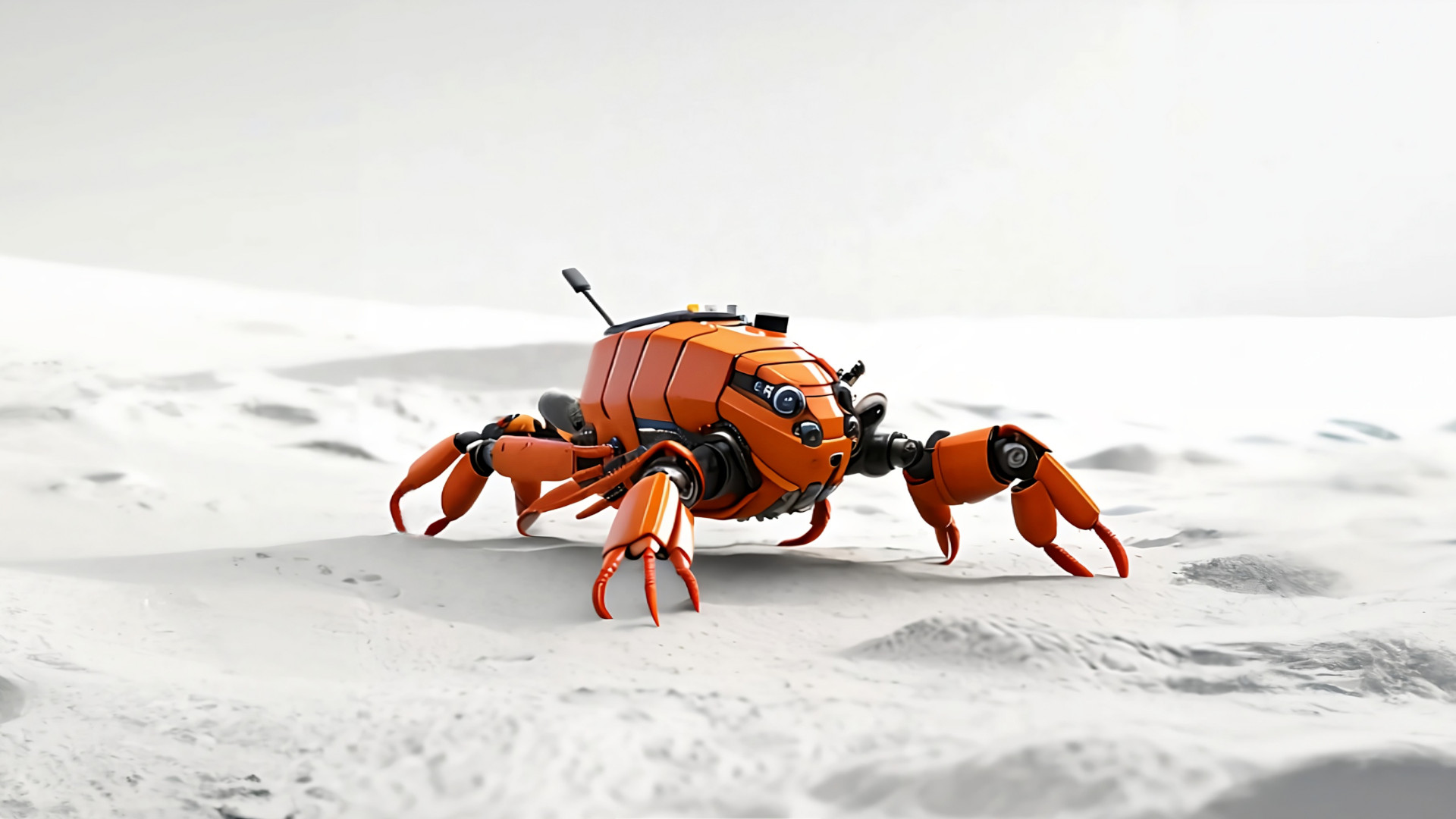
<p>My friend <a href="https://twitter.com/simonjbutcher">Simon Butcher</a> 🇬🇧 is Head of Research Platforms at Queen Mary University of London managing the Apocrita HPC cluster service. <strong>Once again, Simon has created **some stunning **AI-generated</strong> 🤖🧠 ** for Ubuntu MATE using bleeding edge diffusion models** 🖌 <em>The samples below are 1920x1080 but the versions included in Ubuntu MATE 23.04 are 3840x2160</em>.</p>

<div class="gallery">
    
        <div class="gallery-item">
            <img src="/images/blog/lunar/Lunar-Lobster-Explorer.jpg" alt="" />

            
        </div>
    
        <div class="gallery-item">
            <img src="/images/blog/lunar/Lunar-Lobster-Landing.jpg" alt="" />

            
        </div>
    
        <div class="gallery-item">
            <img src="/images/blog/lunar/Lunar-Lobster-Steampunk.jpg" alt="" />

            
        </div>
    
        <div class="gallery-item">
            <img src="/images/blog/lunar/Lunar-Lobster.jpg" alt="" />

            
        </div>
    
</div>

<p>Here’s what Simon has to say about the process of creating these new wallpapers for Lunar Lobster:</p>

<blockquote>
  <p>My usual workflow involves checking reddit, etc for the latest techniques, and then installing the latest open-source tools and checkpoints for unlimited experimentation (e.g. stable diffusion), plus some selective use of Dall-e and Midjourney, while trying not to exhaust my credits. I then experiment with lot of different prompts (including negative prompts to discourage certain features), settings, styles and ideas from each tool to see what sort of images I can get, then tweak and evolve my approach based on the results.</p>
</blockquote>

<blockquote>
  <p>Lobsters are fascinating creatures, but in real life, I find them a bit ugly, with all those antennae and legs akimbo. For the theme of “Lunar Lobster”, rather precise anatomy, I explored ideas of stylised alien robotic space lobsters, lunar landers and other lobster-themed spacecraft. After a producing a shortlist of varied images, I then perform any necessary AI processing such as inpainting, outpainting (generating new parts of an image beyond the existing canvas - particularly useful for getting the correct aspect ratio) and AI upscaling to make them suitable for use as wallpaper.</p>
</blockquote>

<h3 id="flatpak">Flatpak</h3>

<p><a href="https://discourse.ubuntu.com/t/ubuntu-flavor-packaging-defaults/34061">Flatpak is no longer installed by default</a>, but can still be installed should you want to use it.</p>

<h3 id="pipewire">PipeWire</h3>

<p>As a <a href="https://linuxdowntime.com/">podcaster</a> and <a href="https://twitch.tv/WimpysWorld">streamer</a> I’m delighted to have PipeWire installed by default since Ubuntu MATE 22.10. The Ubuntu MATE meta packages have been updated to correctly install the revised pipewire packages in Ubuntu. Special thanks to Erich Eickmeyer, from the Ubuntu Studio project, for his work on this.</p>

<h2 id="major-applications">Major Applications</h2>

<p>Accompanying <strong>MATE Desktop 1.26.1</strong> 🧉 and <strong>Linux 6.20</strong> 🐧 are <strong>Firefox 111</strong> 🔥🦊,
<strong>Celluloid 0.20</strong> 🎥, <strong>Evolution 3.48</strong> 📧, <strong>LibreOffice 7.5.2</strong> 📚</p>

<p>See the <a href="https://discourse.ubuntu.com/t/lunar-lobster-release-notes/31910">Ubuntu 23.04 Release Notes</a>
for details of all the changes and improvements that Ubuntu MATE benefits from.</p>

<div class="jumbotron">

    <h2>Download Ubuntu MATE 23.04</h2>

    <p>Available for 64-bit desktop computers!</p>


        <a href="/download/" class="btn">Download</a>
    

</div>

<h2 id="upgrading-from-ubuntu-mate-2210">Upgrading from Ubuntu MATE 22.10</h2>

<p>You can upgrade to Ubuntu MATE 23.04 from Ubuntu MATE 22.10. Ensure that you
have all updates installed for your current version of Ubuntu MATE before you
upgrade.</p>

<ul>
  <li>Open the “Software &amp; Updates” from the Control Center.</li>
  <li>Select the 3rd Tab called “Updates”.</li>
  <li>Set the “Notify me of a new Ubuntu version” drop down menu to “For any new version”.</li>
  <li>Press <kbd>Alt</kbd>+<kbd>F2</kbd> and type in <code class="language-plaintext highlighter-rouge">update-manager -c -d</code> into the command box.</li>
  <li>Update Manager should open up and tell you: New distribution release ‘23.04’ is available.
    <ul>
      <li>If not, you can use <code class="language-plaintext highlighter-rouge">/usr/lib/ubuntu-release-upgrader/check-new-release-gtk</code></li>
    </ul>
  </li>
  <li>Click “Upgrade” and follow the on-screen instructions.</li>
</ul>

<p>There are no offline upgrade options for Ubuntu MATE. Please ensure you have
network connectivity to one of the official mirrors or to a locally accessible
mirror and follow the instructions above.</p>

<h2 id="feedback">Feedback</h2>

<p>Is there anything you can help with or want to be involved in? Maybe you just
want to discuss your experiences or ask the maintainers some questions. Please
<a href="https://ubuntu-mate.community/">come and talk to us</a>.</p>]]></content><author><name>Martin Wimpress</name></author><category term="release" /><summary type="html"><![CDATA[What's new in Ubuntu MATE 23.04 (Lunar Lobster)]]></summary></entry><entry xml:lang="en"><title type="html">Ubuntu MATE 22.10 Release Notes</title><link href="https://ubuntu-mate.org/blog/ubuntu-mate-kinetic-kudu-release-notes/" rel="alternate" type="text/html" title="Ubuntu MATE 22.10 Release Notes" /><published>2022-09-29T00:00:00+00:00</published><updated>2024-04-24T21:55:28+00:00</updated><id>https://ubuntu-mate.org/blog/ubuntu-mate-kinetic</id><content type="html" xml:base="https://ubuntu-mate.org/blog/ubuntu-mate-kinetic-kudu-release-notes/"><![CDATA[<p>Ubuntu MATE 22.10 is a modest update by recent standards and focused on <em>“quality
of life improvements”</em>. And there is good reason why this release of Ubuntu MATE
doesn’t feature the usual bucket 🪣 list of changes you’d typically expect, and
that’s because I’ve been helping bring the full Ubuntu MATE experience to Debian
MATE 🧉</p>

<p>This may raise some questions for Ubuntu MATE users, so let’s try and address them:</p>

<ul>
  <li><strong>I’m not stepping away from Ubuntu or Ubuntu MATE</strong>. I will continue to use and develop Ubuntu MATE 👍</li>
  <li>I’ve closely collaborated with the MATE packaging team for Debian for over 8 years 👴</li>
  <li>Making the MATE experience in Debian and Ubuntu consistent <strong>makes maintenance easier for all involved</strong> 🛠</li>
  <li>Ubuntu MATE offers some modernisation of MATE via home-grown apps such as MATE Tweak and Ayatana Indicators. <strong>We want Debian users to benefit from those improvements too</strong> 💖</li>
  <li>We’re hopeful the MATE spin in Debian 12 will offer the same (or extremely similar) experience Ubuntu MATE users have enjoyed for some time 🎁</li>
</ul>

<h2 id="thank-you-">Thank you! 🙇</h2>

<p><strong>I’d like to extend my sincere thanks to everyone who has played an active role
in improving Ubuntu MATE for this release 👏 From reporting bugs,
submitting translations, providing patches, contributing to
<a href="https://www.patreon.com/ubuntu_mate">our crowd funding</a>,
developing new features, creating artwork, offering community support, actively
testing and providing QA feedback to writing documentation or creating this
fabulous website. Thank you! Thank you all for getting out there and making a
difference!</strong> 💚</p>

<p class="center"><img src="/images/blog/kinetic/kinetic-kudu-desktop.jpg" alt="Ubuntu MATE 22.10" />
<strong>Ubuntu MATE 22.10 using the Pantheon layout and new centered panel applets and HUD</strong></p>

<h2 id="what-changed-since-the-ubuntu-mate-2204">What changed since the Ubuntu MATE 22.04?</h2>

<p>Here are the highlights of what’s changed since the <a href="https://ubuntu-mate.org/blog/ubuntu-mate-jammy-jellyfish-release-notes/">release of Ubuntu MATE 22.04</a></p>

<h3 id="mate-desktop">MATE Desktop</h3>

<p>The usual point release updates to <a href="https://mate-desktop.org">MATE Desktop</a> and
<a href="https://github.com/AyatanaIndicators">Ayatana Indicators</a> have been included
that fix 🩹 an assortment on minor bugs 🐛 <strong>The main change in MATE Desktop
is to MATE Panel</strong>, where we’ve included an early snapshot release of <code class="language-plaintext highlighter-rouge">mate-panel</code>
1.27.0 along with a patch set that <strong>adds centre alignment of panel applets</strong>.</p>

<p>This much requested feature comes from Ubuntu MATE community contributor
<a href="https://github.com/thesquash">Gordon N. Squash</a> 🇺🇸 and allows panel applets to
be centre aligned, as well as the usual left and right alignment. I’m sure
you’ll all join me in thanking 🙇 Gordon for working on this feature.</p>

<p><strong>Centre aligning of applet icons will ship with MATE Desktop 1.28, but we’re
including it early 🐓 for Ubuntu MATE users</strong>. We’ve updated MATE Tweak to
correctly save/restore custom layouts that use centre aligned applets and all
the panel layouts shipped with Ubuntu MATE 22.10 have been updated so they’re
compatible with center alignment of applets ✅</p>

<h4 id="ai-generated-wallpapers-again">AI Generated wallpapers (again!)</h4>

<p>My friend <a href="https://twitter.com/simonjbutcher">Simon Butcher</a> 🇬🇧 is Head of
Research Platforms at Queen Mary University of London managing the Apocrita HPC
cluster service. <strong>Once again, Simon has created some stunning AI generated 🤖🧠
wallpapers for Ubuntu MATE using bleeding edge diffusion models</strong> 🖌 <em>The samples
below are 1920x1080 but the versions include in Ubuntu MATE 22.10 are 3840x2160</em>.</p>

<div class="gallery">
    
        <div class="gallery-item">
            <img src="/images/blog/kinetic/kudu-field.jpg" alt="" />

            
        </div>
    
        <div class="gallery-item">
            <img src="/images/blog/kinetic/kudu-foresty.jpg" alt="" />

            
        </div>
    
        <div class="gallery-item">
            <img src="/images/blog/kinetic/kudu-grass.jpg" alt="" />

            
        </div>
    
        <div class="gallery-item">
            <img src="/images/blog/kinetic/kudu-standalone.jpg" alt="" />

            
        </div>
    
        <div class="gallery-item">
            <img src="/images/blog/kinetic/kudu-verdant.jpg" alt="" />

            
        </div>
    
</div>

<p>Here’s what Simon has to say about about some of the challenges he faced
creating these new wallpapers for Kinetic Kudu:</p>

<blockquote>
  <p>AI image generation is continuing to improve at a mind-boggling rate. Yet, until recently, coherent human faces, hands and anatomically correct animals have proved rather tricky. Fortunately human faces are getting particular attention in the open source community after the release of Stable Diffusion. However, while an anthropomorphic portrait of a Kudu wearing a rather dapper suit will be stylishly rendered, getting consistent results for kudu in their natural habitat proved particularly tricky, exacerbated by their elegant horn structure. Often you will get rather wild interpretations of the horns, 5 legged creatures, or nightmarish output akin to the Pushmi-Pullyu from the Dr Doolittle stories.</p>
</blockquote>

<div align="center"><blockquote class="twitter-tweet"><p lang="en" dir="ltr">AI-generated kudu are hard. They are happy posing for their portrait in a suit, but as soon as you want them to act normal, you get abominations like this double-headed beastie <a href="https://twitter.com/hashtag/stablediffusion?src=hash&amp;ref_src=twsrc%5Etfw">#stablediffusion</a> <a href="https://t.co/BgPR3QBqru">https://t.co/BgPR3QBqru</a> <a href="https://t.co/RVCbgMsOAh">pic.twitter.com/RVCbgMsOAh</a></p>&mdash; Simon Butcher (@simonjbutcher) <a href="https://twitter.com/simonjbutcher/status/1572574722612920322?ref_src=twsrc%5Etfw">September 21, 2022</a></blockquote> <script async="" src="https://platform.twitter.com/widgets.js" charset="utf-8"></script></div>

<blockquote>
  <p>Jellyfish, on the other hand, are a mass of tentacles and perhaps benefit aesthetically from the randomness induced by AI-generated images, in the same way that forests, mountains and hobbit villages generated by AI can be produced en-masse to a very satisfying extent. So while 1000 stunning unique images of jellyfish can be produced in a few minutes with a powerful GPU, the kudu was quite a challenge, and I had to experiment a lot with various prompts and styles, and a lot of cherry-picking - throwing away about 99% of the results that weren’t quite right. For the next release, I’m hoping we’ll see further AI innovation in time for the next release, or…maybe the next code name will be a lionfish?</p>
</blockquote>

<h3 id="pipewire">PipeWire</h3>

<p><strong>PulseAudio has been replaced with PipeWire</strong> and Bluetooth audio codec support
has been expanded with the addition of AAC, LDAC, aptX and aptX HD.</p>

<p>As a <a href="https://linuxdowntime.com/">podcaster</a> and <a href="https://twitch.tv/WimpysWorld">streamer</a>
I’m delighted to have PipeWire installed by default in Ubuntu MATE 22.10. The
migration to PipeWire has resolved some longstanding minor annoyances I’ve had
with audio in that past and all the tools 🧰 I use for audio and video
production continue to function correctly.</p>

<h4 id="pipewire-on-ubuntu-mate-2204">PipeWire on Ubuntu MATE 22.04</h4>

<p>If you like to ride the LTS train 🚆 but want to use PipeWire in Ubuntu MATE
22.04 (<em>as I have been doing for some months</em>) then this is how to make the
change:</p>

<div class="language-bash highlighter-rouge"><div class="highlight"><pre class="highlight"><code><span class="nb">sudo </span>apt-get <span class="nb">install </span>gstreamer1.0-pipewire pipewire-audio-client-libraries wireplumber
<span class="nb">sudo </span>apt-get remove pulseaudio-module-bluetooth
<span class="nb">sudo </span>apt-get <span class="nb">install </span>libfdk-aac2 libldacbt-abr2 libldacbt-enc2 libopenaptx0 libspa-0.2-bluetooth libspa-0.2-jack
</code></pre></div></div>

<p>Once the installs/removals are complete restart your computer.</p>

<h3 id="ubuntu-mate-stuff">Ubuntu MATE Stuff</h3>

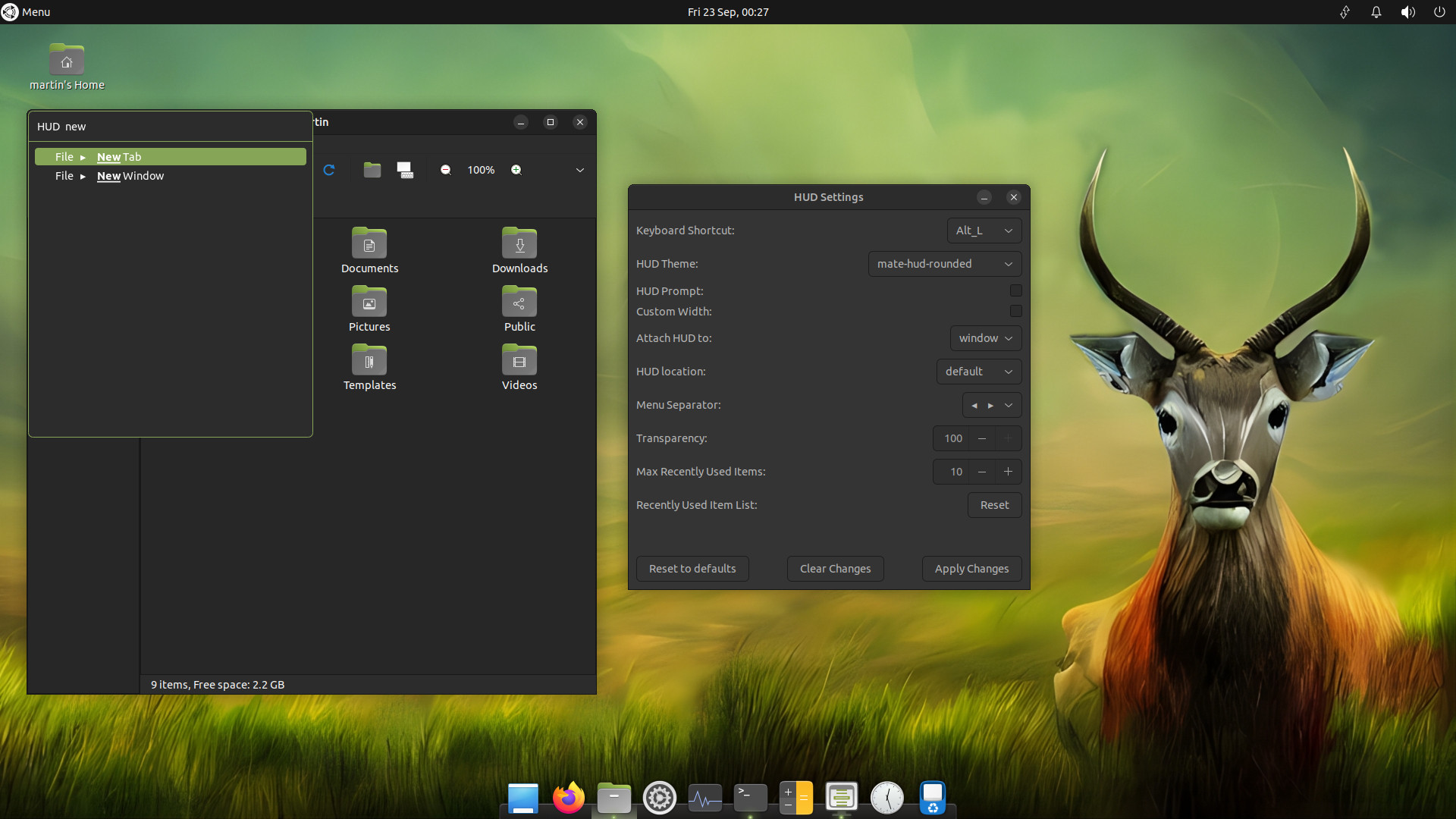
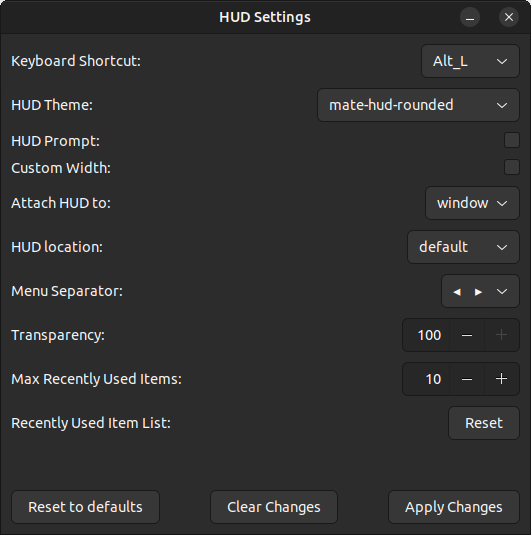
<p>The <em>“MATE HUD”</em> has seen some significant work from community contributor
<a href="https://github.com/twa022">twa022</a> 🌎. The <strong>HUD now supports MATE, XFCE
and Budgie</strong>, has improved accuracy for HUD placement (taking into account various
panel offsets/struts), <strong>is highly configurable and includes a new HUD settings app</strong> ✨</p>

<p class="center"><img src="/images/blog/kinetic/hud-settings.png" alt="HUD Settings" />
<strong>HUD Settings</strong></p>

<h4 id="mate-user-manager">MATE User Manager</h4>

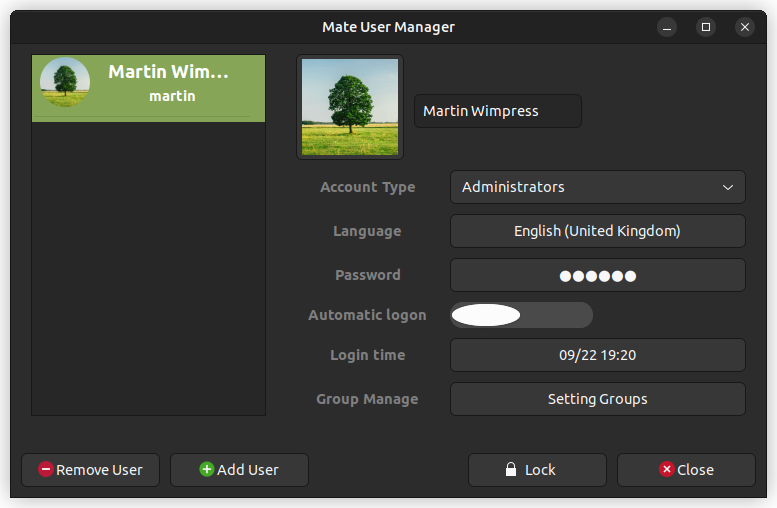
<p><strong>A new utility, User Manager, has been added to complement the suite of MATE
tools.</strong> User Manager replaces the aging <code class="language-plaintext highlighter-rouge">gnome-system-tools</code> which was
removed from Ubuntu MATE in the 22.04 release and allows you to add/modify/remove
user accounts. It also includes the ability to define which users are Administrators,
enable/disable auto-login, set profile images and manage group memberships.</p>

<p class="center"><img src="/images/blog/kinetic/mate-user-manager.png" alt="MATE User Manager" />
<strong>MATE User Manager</strong></p>

<h4 id="yaru">Yaru</h4>

<p>And last but not least, the Ubuntu MATE Artwork package has been updated to
<strong>include all the refinements and improvements in the suite of
<a href="https://github.com/ubuntu/yaru">Yaru</a> themes</strong> 🎨</p>

<h2 id="major-applications">Major Applications</h2>

<p>Accompanying <strong>MATE Desktop 1.26.1</strong> 🧉 and <strong>Linux 5.19</strong> 🐧 are <strong>Firefox 105</strong> 🔥🦊,
<strong>Celluloid 0.20</strong> 🎥, <strong>Evolution 3.46</strong> 📧, <strong>LibreOffice 7.4</strong> 📚</p>

<p>See the <a href="https://discourse.ubuntu.com/t/kinetic-kudu-release-notes/27976">Ubuntu 22.10 Release Notes</a>
for details of all the changes and improvements that Ubuntu MATE benefits from.</p>

<div class="jumbotron">

    <h2>Download Ubuntu MATE 22.10</h2>

    <p>This new release will be first available for PC/Mac users.</p>


        <a href="/download/" class="btn">Download</a>
    

</div>

<h2 id="upgrading-from-ubuntu-mate-2204">Upgrading from Ubuntu MATE 22.04</h2>

<p>You can upgrade to Ubuntu MATE 22.10 from Ubuntu MATE 22.04. Ensure that you
have all updates installed for your current version of Ubuntu MATE before you
upgrade.</p>

<ul>
  <li>Open the “Software &amp; Updates” from the Control Center.</li>
  <li>Select the 3rd Tab called “Updates”.</li>
  <li>Set the “Notify me of a new Ubuntu version” drop down menu to “For any new version”.</li>
  <li>Press <kbd>Alt</kbd>+<kbd>F2</kbd> and type in <code class="language-plaintext highlighter-rouge">update-manager -c -d</code> into the command box.</li>
  <li>Update Manager should open up and tell you: New distribution release ‘22.10’ is available.
    <ul>
      <li>If not, you can use <code class="language-plaintext highlighter-rouge">/usr/lib/ubuntu-release-upgrader/check-new-release-gtk</code></li>
    </ul>
  </li>
  <li>Click “Upgrade” and follow the on-screen instructions.</li>
</ul>

<p>There are no offline upgrade options for Ubuntu MATE. Please ensure you have
network connectivity to one of the official mirrors or to a locally accessible
mirror and follow the instructions above.</p>

<h2 id="feedback">Feedback</h2>

<p>Is there anything you can help with or want to be involved in? Maybe you just
want to discuss your experiences or ask the maintainers some questions. Please
<a href="https://ubuntu-mate.community/">come and talk to us</a>.</p>]]></content><author><name>Martin Wimpress</name></author><category term="release" /><summary type="html"><![CDATA[What's new in Ubuntu MATE 22.10 (Kinetic Kudu)]]></summary></entry><entry xml:lang="en"><title type="html">Ubuntu MATE 22.04 LTS Release Notes</title><link href="https://ubuntu-mate.org/blog/ubuntu-mate-jammy-jellyfish-release-notes/" rel="alternate" type="text/html" title="Ubuntu MATE 22.04 LTS Release Notes" /><published>2022-03-29T00:00:00+00:00</published><updated>2024-04-24T21:55:28+00:00</updated><id>https://ubuntu-mate.org/blog/ubuntu-mate-jammy</id><content type="html" xml:base="https://ubuntu-mate.org/blog/ubuntu-mate-jammy-jellyfish-release-notes/"><![CDATA[<p>Ubuntu MATE 22.04 LTS is the culmination of 2 years of continual improvement 😅
to Ubuntu and MATE Desktop. As is tradition, the LTS development cycle has a
keen focus on eliminating paper 🧻 cuts 🔪 but we’ve <em>jammed</em> in some new
features and a fresh coat of paint too 🖌 The following is a summary of what’s
new <a href="/blog/ubuntu-mate-impish-indri-final-release/">since Ubuntu MATE 21.10</a> and
some reminders of how we got here from 20.04. Read on to learn more 🧑‍🎓</p>

<h2 id="thank-you-">Thank you! 🙇</h2>

<p><strong>I’d like to extend my sincere thanks to everyone who has played an active role
in improving Ubuntu MATE for this LTS release 👏 From reporting bugs,
submitting translations, providing patches, contributing to our crowd funding,
developing new features, creating artwork, offering community support, actively
testing and providing QA feedback to writing documentation or creating this
fabulous website. Thank you! Thank you all for getting out there and making a
difference!</strong> 💚</p>

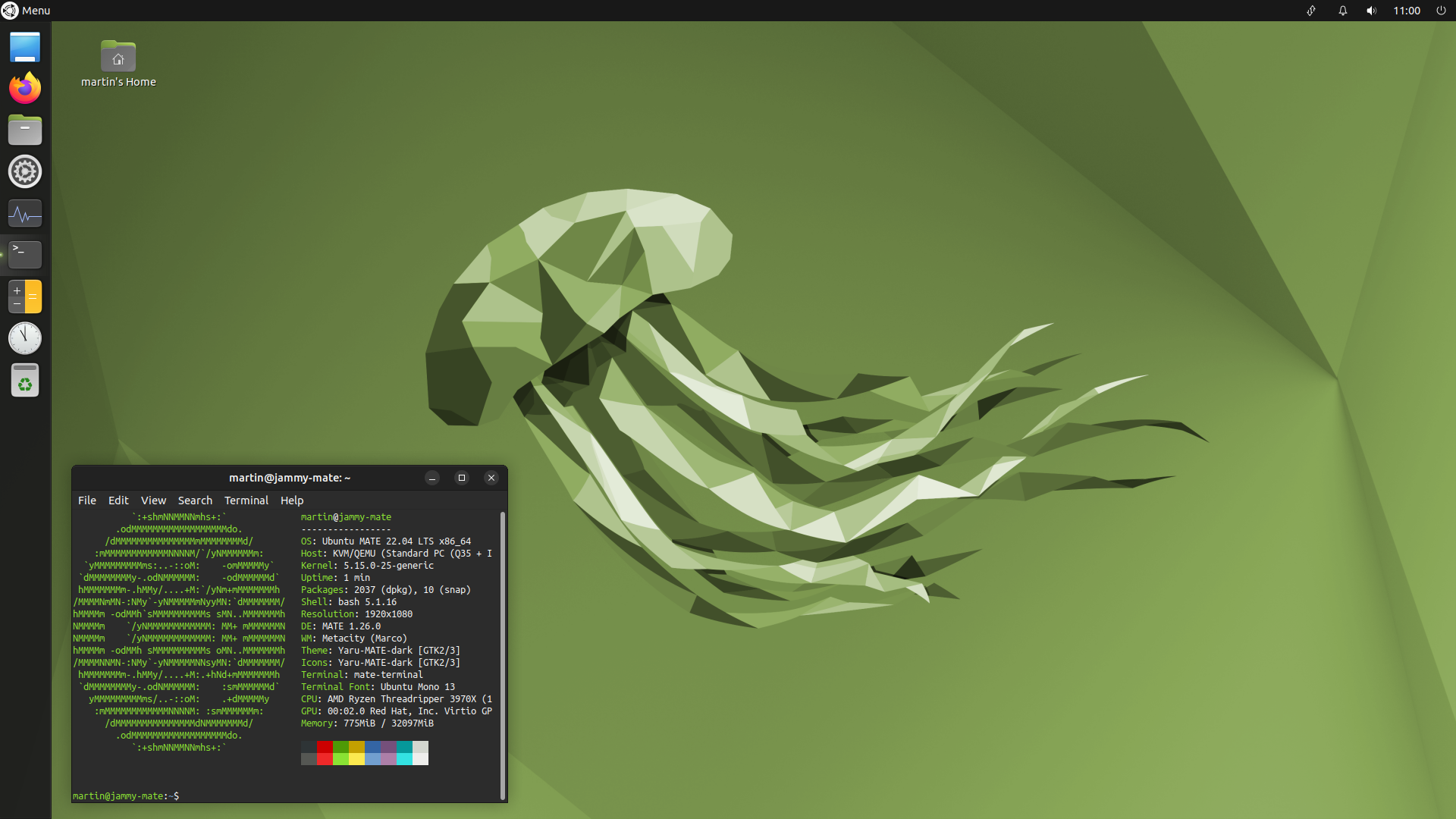
<p class="center"><img src="/images/blog/jammy/ubuntu-mate-mutiny-dark.png" alt="Ubuntu MATE 22.04 LTS" />
<strong>Ubuntu MATE 22.04 LTS (Jammy Jellyfish) - Mutiny layout with Yark-MATE-dark</strong></p>

<h2 id="whats-changed">What’s changed?</h2>

<p>Here are the highlights of what’s changed recently.</p>

<h3 id="mate-desktop-1261-">MATE Desktop 1.26.1 🧉</h3>

<p>Ubuntu MATE 22.04 features MATE Desktop 1.26.1. MATE Desktop 1.26.0 was introduced
in 21.10 and benefits from <strong>significant effort 😅 in fixing bugs 🐛
in MATE Desktop, optimising performance ⚡ and plugging memory leaks</strong>. MATE
Desktop 1.26.1 addresses the bugs we discovered following the initial 1.26.0
release. Our community also fixed some bugs in Plank and Brisk Menu 👍 and also
fixed the screen reader during installs for visually impaired users 🥰 In all
over 500 bugs have been addressed in this release 🩹</p>

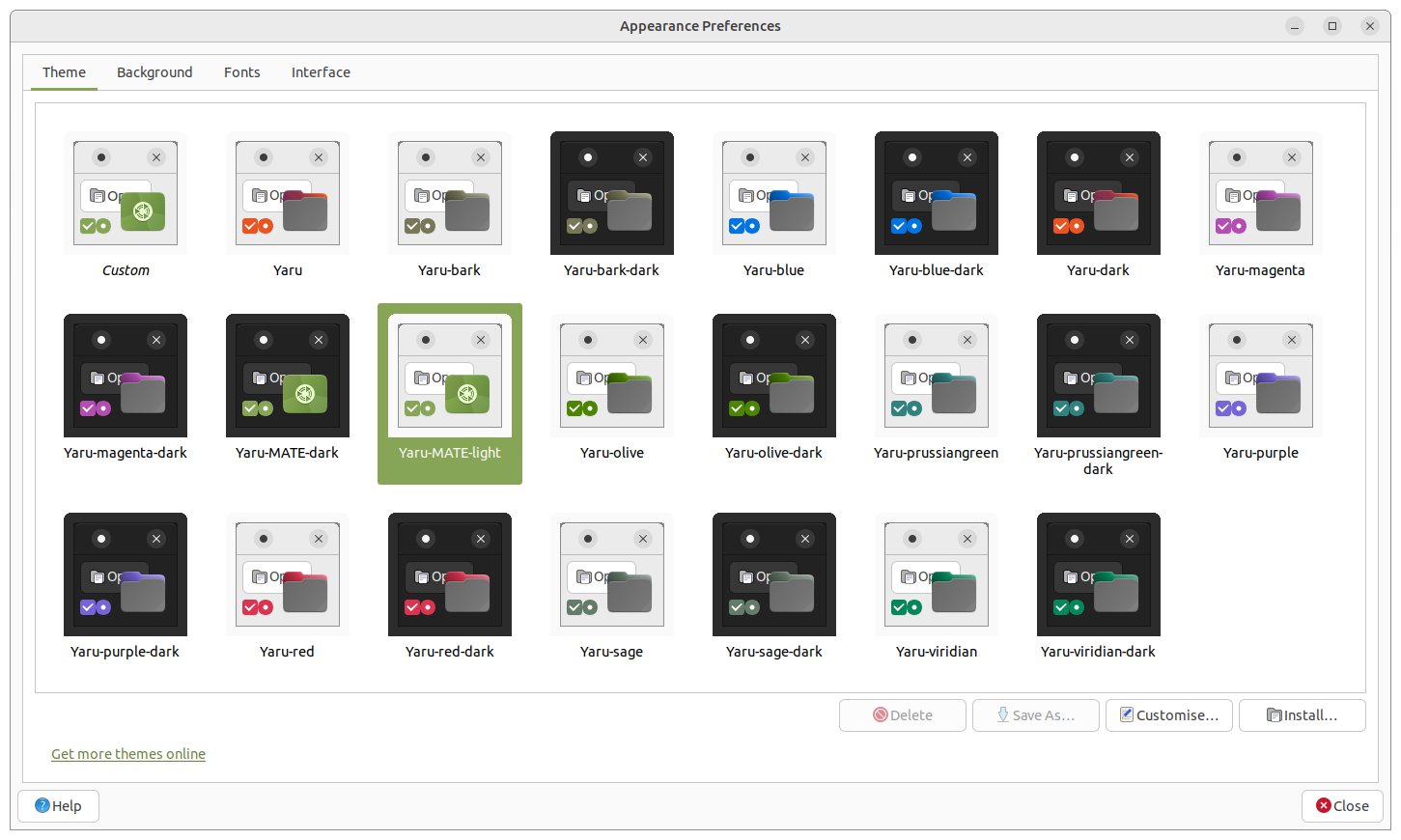
<h3 id="yaru-">Yaru 🎨</h3>

<p>Ubuntu MATE 21.04 was the first release to ship with a MATE variant of the
<a href="https://github.com/ubuntu/yaru">Yaru theme</a>. A year later and we’ve been working
hard with members of the Yaru and Ubuntu Desktop teams to bring <strong>full MATE
compatibility to upstream Yaru, including all the accent colour varieties.</strong>
All reported bugs 🐞 in the Yaru implementation for MATE have also been fixed 🛠</p>

<p class="center"><img src="/images/blog/jammy/yaru-themes.png" alt="Yaru Themes" />
<strong>Yaru Themes in Ubuntu MATE 22.04 LTS</strong></p>

<p>Ubuntu MATE 22.04 LTS ships with all the Yaru themes, including our own <em>“chelsea
cucumber”</em> version 🥒 The legacy Ambiant/Radiant themes are no longer
installed by default and neither are the stock MATE Desktop themes. We’ve added
an <strong>automatic settings migration</strong> to transition users who upgrade to an
appropriate Yaru MATE theme.</p>

<h4 id="cherries-on-top-">Cherries on top 🍒</h4>

<p>In collaboration with <a href="https://github.com/Jupi007">Paul Kepinski</a> 🇫🇷 (Yaru team)
and <a href="https://twitter.com/3v1n0">Marco Trevisan</a> 🇮🇹 (Ubuntu Desktop
team) <strong>we’ve added dark/light panels and panel icons to Yaru for MATE Desktop
and Unity</strong>. I’ve added a collection of new dark/light panel icons to Yaru for
popular apps with indicators such as Steam, Dropbox, <a href="https://ulauncher.io/">uLauncher</a>,
<a href="http://jonls.dk/redshift/">RedShift</a>, <a href="https://transmissionbt.com/">Transmission</a>,
Variety, etc.</p>

<p class="center"><img src="/images/blog/jammy/panel-light.png" alt="Light Panel" />
<img src="/images/blog/jammy/panel-dark.png" alt="Dark Panel" />
<strong>Light and Dark panels</strong></p>

<p>I’ve added patches 🩹 to the Appearance Control Center that <strong>applies theme
changes to Plank (the dock), Pluma (text editor) and correctly toggles the
colour scheme preference for GNOME 42 apps</strong>. When you choose a dark theme,
everything will go dark in unison 🥷 and vice versa.</p>

<p>So, <strong>Ubuntu MATE 22.04 LTS is now using everything Yaru/Suru has to offer.</strong> 🎉</p>

<h4 id="ai-generated-wallpapers">AI Generated wallpapers</h4>

<p>My friend <a href="https://twitter.com/simonjbutcher">Simon Butcher</a> 🇬🇧 is Head of
Research Platforms at Queen Mary University of London managing the Apocrita HPC
cluster service. He’s been creating AI 🤖 generated art using bleeding edge
CLIP guided diffusion models 🖌 The results are pretty incredible and we’ve
<a href="https://twitter.com/m_wimpress/status/1504030749451862026">included the 3 top voted “Jammy Jellyfish” in our wallpaper selection</a>
as their vivid and vibrant styles compliment the Yaru accent colour theme options
very nicely indeed 😎</p>

<div class="gallery">
    
        <div class="gallery-item">
            <img src="/images/blog/jammy/jelly3.jpg" alt="" />

            
        </div>
    
        <div class="gallery-item">
            <img src="/images/blog/jammy/jelly4.jpg" alt="" />

            
        </div>
    
        <div class="gallery-item">
            <img src="/images/blog/jammy/jelly6.jpg" alt="" />

            
        </div>
    
</div>

<p>If you want the complete set, here’s a tarball  of all 8 wallpapers at 3840x2160:</p>

<ul>
  <li><a href="https://people.ubuntu.com/~flexiondotorg/Jammy_Jellyfish_AI_Wallpapers.tar.xz">AI Generated <em>“Jammy Jelly”</em> by Simon Butcher</a> 🎁 (22MB)</li>
</ul>

<h3 id="ubuntu-mate-stuff-">Ubuntu MATE stuff 🧉</h3>

<p>Ubuntu MATE has a few distinctive apps and integrations of it’s own, here’s a
run down of what’s new and shiny ✨</p>

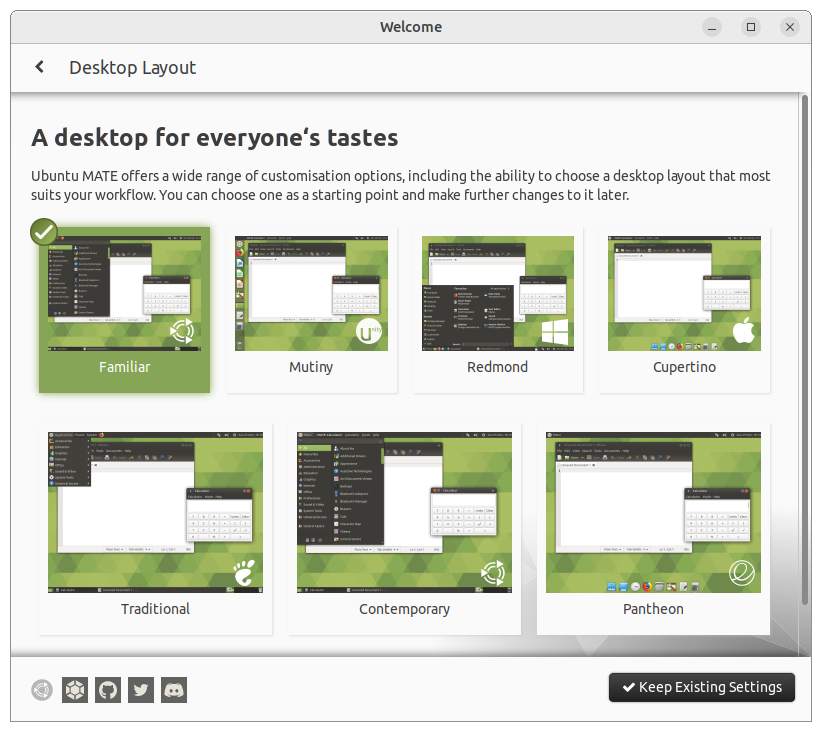
<h4 id="mate-tweak">MATE Tweak</h4>

<p>Switching layouts with MATE Tweak is its most celebrated feature. We’ve improved
the reliability of desktop layout switching and restoring custom layouts is now 100%
accurate 💯</p>

<p class="center"><img src="/images/blog/jammy/panel-layouts.png" alt="Ubuntu MATE Desktop Layouts" />
<strong>Having your desktop your way in Ubuntu MATE</strong></p>

<p>We’ve removed <code class="language-plaintext highlighter-rouge">mate-netbook</code> from the default installation of Ubuntu MATE and
as a result the Netbook layout is no longer available. We did this because
<code class="language-plaintext highlighter-rouge">mate-maximus</code>, a component of <code class="language-plaintext highlighter-rouge">mate-netbook</code>, is the cause of some
compatibility issues with client side decorated (CSD) windows. There are still
several panel layouts that offer efficient resolution use 📐 for those who need
it.</p>

<p><strong>MATE Tweak has refreshed its supported for 3rd party compositors.</strong> Support for
Compton has been dropped, as it is no longer actively maintained and
<strong>comprehensive support for <a href="https://github.com/yshui/picom">picom</a> has been added</strong>.
<code class="language-plaintext highlighter-rouge">picom</code> has three compositor options: Xrender, GLX and Hybrid. All three are
can be selected via MATE Tweak as the performance and compatibility of each
varies depending on your hardware. <strong>Some people choose to use <code class="language-plaintext highlighter-rouge">picom</code> because
they get better gaming performance or screen tearing is reduced. Some just
like subtle animation effects <code class="language-plaintext highlighter-rouge">picom</code> adds</strong> 💖</p>

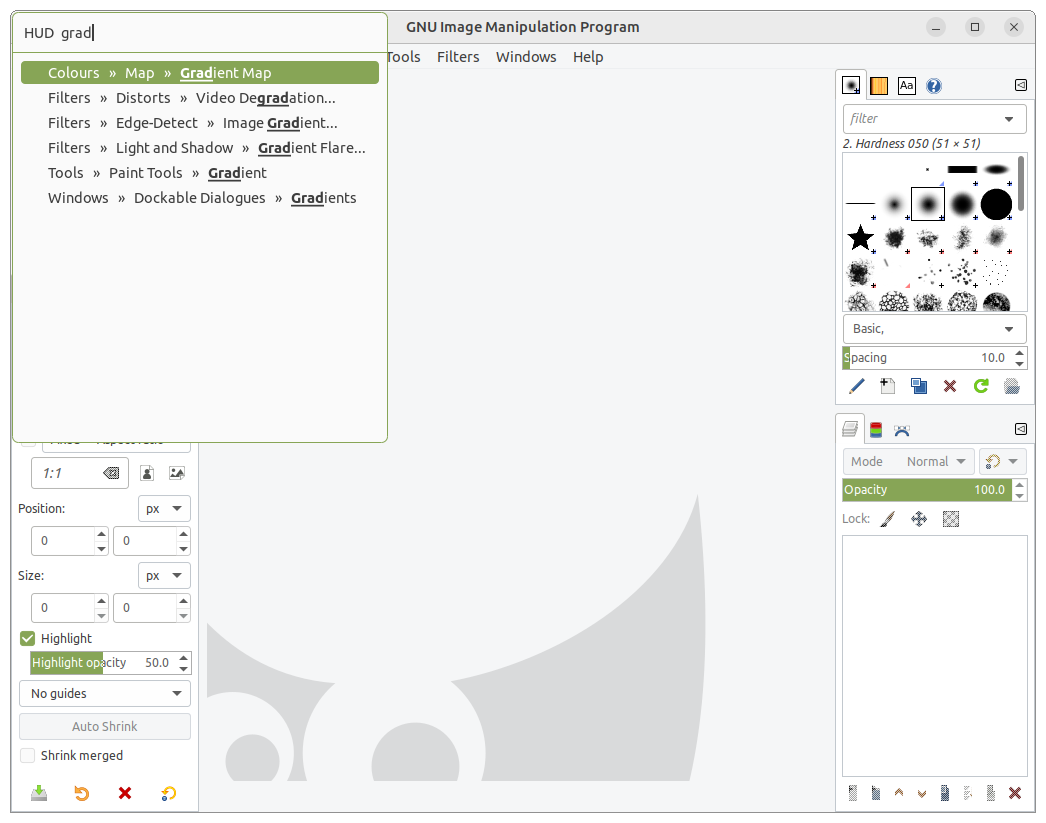
<h4 id="mate-hud">MATE HUD</h4>

<p>Recent versions of <code class="language-plaintext highlighter-rouge">rofi</code>, the tool used by MATE HUD to visualise menu
searches, has a new theme system. <strong>MATE HUD has been updated to support this
new theme engine and comes with two MATE specific themes (<code class="language-plaintext highlighter-rouge">mate-hud</code> and
<code class="language-plaintext highlighter-rouge">mate-hud-rounded</code>) that automatically adapt to match the currently selected
GTK theme</strong>.</p>

<p>You can add your own <code class="language-plaintext highlighter-rouge">rofi</code> themes to <code class="language-plaintext highlighter-rouge">~/.local/share/rofi/themes</code>. Should you
want to, you can use any <code class="language-plaintext highlighter-rouge">rofi</code> theme in MATE HUD. Use <kbd>Alt</kbd> + <kbd>F2</kbd>
to run <code class="language-plaintext highlighter-rouge">rofi-theme-selector</code> to try out the different themes, and if there is
one you prefer you can set it as default by using running the following in a terminal:</p>

<div class="language-bash highlighter-rouge"><div class="highlight"><pre class="highlight"><code>gsettings <span class="nb">set </span>org.mate.hud rofi-theme &lt;theme name&gt;
</code></pre></div></div>

<p class="center"><img src="/images/blog/jammy/mate-hud.png" alt="MATE HUD" />
<strong>MATE HUD uses the new rofi theme engine</strong></p>

<h4 id="windows--shadows">Windows &amp; Shadows</h4>

<p>I’ve updated the Metacity/Marco (the MATE Window Manager) themes in Yaru to make
sure they match GNOME/CSD/Handy windows for a consistent look and feel across
all window types 🪟 and 3rd party compositors like <code class="language-plaintext highlighter-rouge">picom</code>. I even patched how
Marco and <code class="language-plaintext highlighter-rouge">picom</code> render shadows so windows they look cohesive regardless of
toolkit or compositor being used.</p>

<h4 id="ubuntu-mate-welcome--boutique">Ubuntu MATE Welcome &amp; Boutique</h4>

<p>The Software Boutique has been restocked with software for 22.04 and
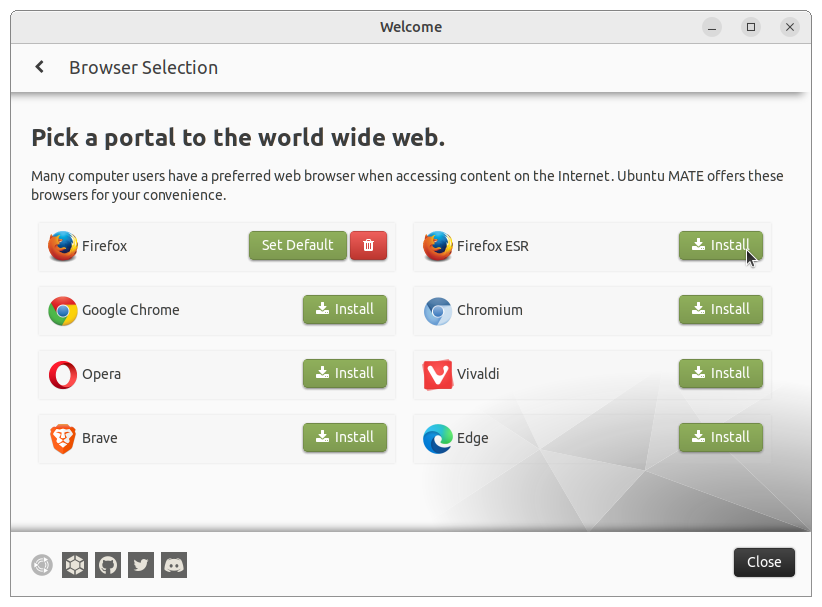
<strong>Firefox 🔥🦊 ESR (<code class="language-plaintext highlighter-rouge">.deb</code>) has been added to the Browser Ballot in Ubuntu MATE Welcome.</strong></p>

<p class="center"><img src="/images/blog/jammy/firefox-esr.png" alt="Ubuntu MATE Welcome Browser Ballot" />
<strong>Comprehensive browser options just a click away</strong></p>

<h3 id="41-less-fat-">41% less fat 🍩</h3>

<p>Ubuntu MATE, like it’s lead developer, was starting to get a bit large
around the mid section 😊 <strong>During the development of 22.04, the image 📀 got
to 4.1GB 😮</strong></p>

<p>So, we put Ubuntu MATE on a strict diet 🥗  We’ve removed the proprietary NVIDIA
drivers from the local apt pool on the install media and thanks to migrating
fully to Yaru (which now features excellent de-duplication of icons) and also
removing our legacy themes/icons. And now the Yaru-MATE themes/icons are
completely in upstream Yaru, we were able to remove 3 snaps from the default
install and <strong>the image is now a much more reasonable 2.7GB; 41% smaller.</strong> 🗜</p>

<p>This is important to us, because <strong>the majority of our users are in countries
where Internet bandwidth is not always plentiful</strong>. Those of you with NVIDIA GPUs,
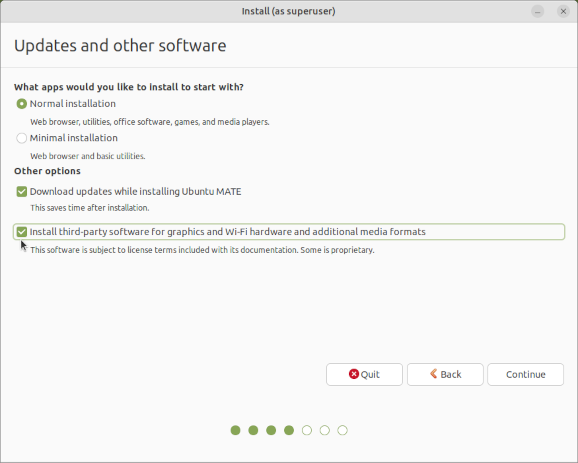
don’t worry. If you tick the 3rd party software and drivers during the install
the appropriate driver for your GPU will be downloaded and installed 👍</p>

<p class="center"><img src="/images/blog/jammy/install-3rd-party.png" alt="Install 3rd party drivers" />
<strong>NVIDIA GPU owners should tick <em>Install 3rd party software and drivers</em> during install</strong></p>

<p>While investigating 🕵 <a href="https://pad.lv/1959995">a bug in Xorg Server that caused Marco (the MATE window manager)
to crash</a> <strong>we discovered that Marco has lower frame time
latency ⏱ when using Xrender with the NVIDIA proprietary drivers</strong>. <strong>We’ve
published a PPA where NVIDIA GPU users can install a version of Marco that uses
Xpresent for optimal performance</strong> ⚡</p>

<div class="language-bash highlighter-rouge"><div class="highlight"><pre class="highlight"><code><span class="nb">sudo </span>apt-add-repository ppa:ubuntu-mate-dev/marco
<span class="nb">sudo </span>apt upgrade
</code></pre></div></div>

<p>Should you want to revert this change you install <code class="language-plaintext highlighter-rouge">ppa-purge</code> and run the
following from a terminal: <code class="language-plaintext highlighter-rouge">sudo ppa-purge -o ubuntu-mate-dev -p marco</code>.</p>

<h4 id="but-wait-theres-more-">But wait! There’s more! 😲</h4>

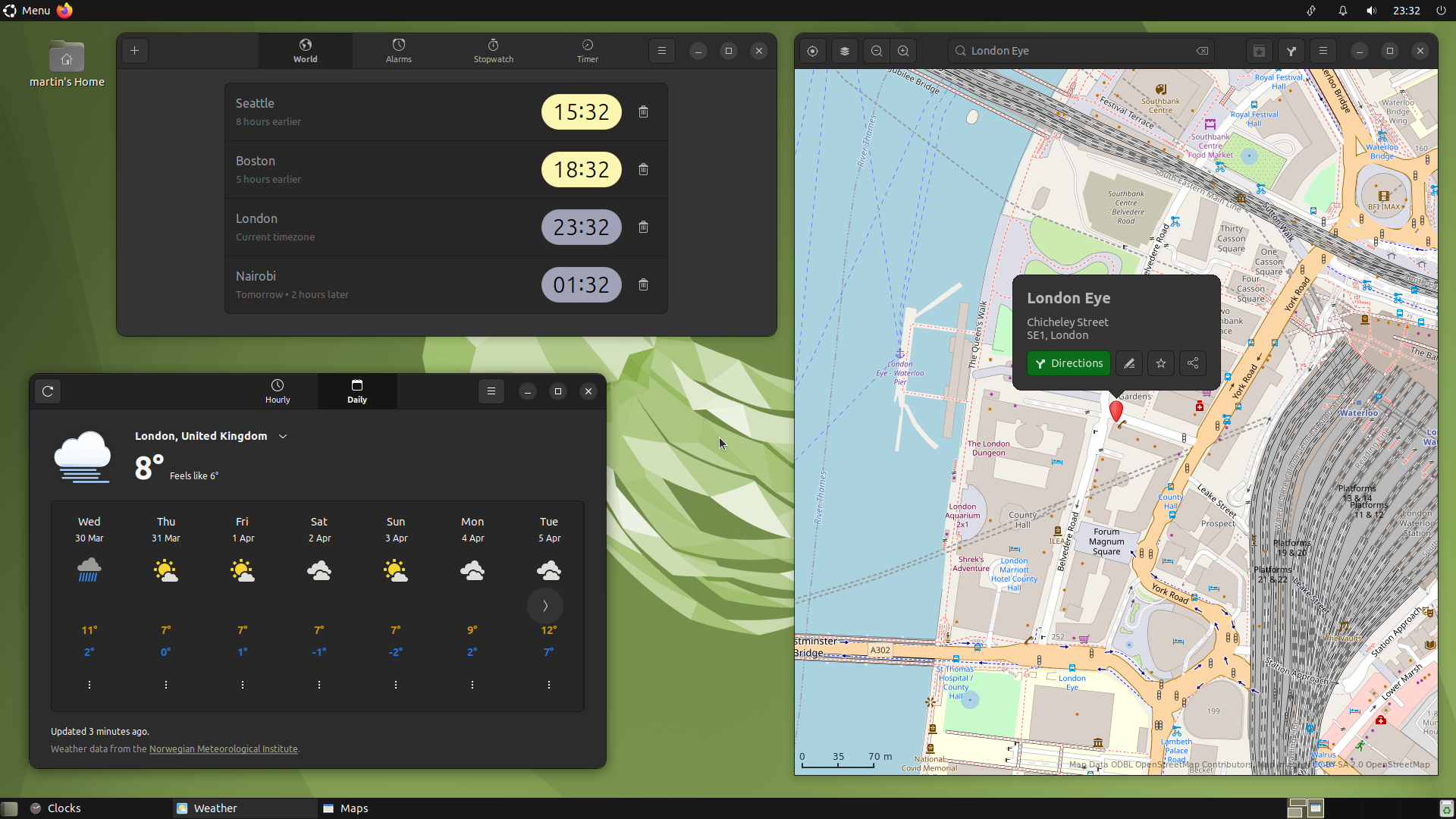
<p>These reductions in size are after <strong>we added three new applications to the default
install on Ubuntu MATE: GNOME Clocks, Maps and Weather</strong> My family and I 👨‍👩‍👧 have
found these applications particularly useful and use them regularly on our
laptops without having to reach for a phone or tablet.</p>

<p class="center"><img src="/images/blog/jammy/gnome-clocks-maps-weather.png" alt="GNOME Clocks, Maps &amp; Weather" />
<strong>New additions to the default desktop application in Ubuntu MATE 22.04 LTS</strong></p>

<p>For those of you who like a minimal base platform, then <strong>the minimal install
option is still available which delivers just the essential Ubuntu MATE Desktop
and Firefox browser.</strong> You can then build up from there 👷</p>

<h4 id="packages-packages-packages-">Packages, packages, packages 📦</h4>

<p>It doesn’t matter how you like to consume your Linux 🐧 packages, Ubuntu MATE
has got you covered with <strong>PPA, Snap, AppImage and FlatPak support baked in
by default.</strong> You’ll find <code class="language-plaintext highlighter-rouge">flatpak</code>, <code class="language-plaintext highlighter-rouge">snapd</code> and <code class="language-plaintext highlighter-rouge">xdg-desktop-portal-gtk</code> to
support Snap and FlatPak and the (ageing) <code class="language-plaintext highlighter-rouge">libfuse2</code> to support AppImage are all
pre-installed.</p>

<p>Although <code class="language-plaintext highlighter-rouge">flatpak</code> is installed, <a href="https://flathub.org/home">FlatHub</a> is not
enabled by default. To enable FlatHub run the following in a terminal:</p>

<div class="language-bash highlighter-rouge"><div class="highlight"><pre class="highlight"><code>flatpak remote-add <span class="nt">--if-not-exists</span> flathub https://flathub.org/repo/flathub.flatpakrepo
</code></pre></div></div>

<p><strong>We’ve also included <code class="language-plaintext highlighter-rouge">snapd-desktop-integration</code> which provides a bridge
between the user’s session and <code class="language-plaintext highlighter-rouge">snapd</code> to integrate theme preferences 🎨 with
snapped apps</strong> and can also automatically install snapped themes 👔
<strong>All the Yaru themes shipped in Ubuntu MATE are fully snap aware</strong>.</p>

<h3 id="ayatana-indicators">Ayatana Indicators</h3>

<p>Ubuntu MATE 20.10 transitioned to <a href="https://github.com/AyatanaIndicators">Ayatana Indicators</a> 🚥
As a quick refresher, Ayatana Indicators are a fork of Ubuntu Indicators that
aim to be cross-distro compatible and re-usable for any desktop environment 👌</p>

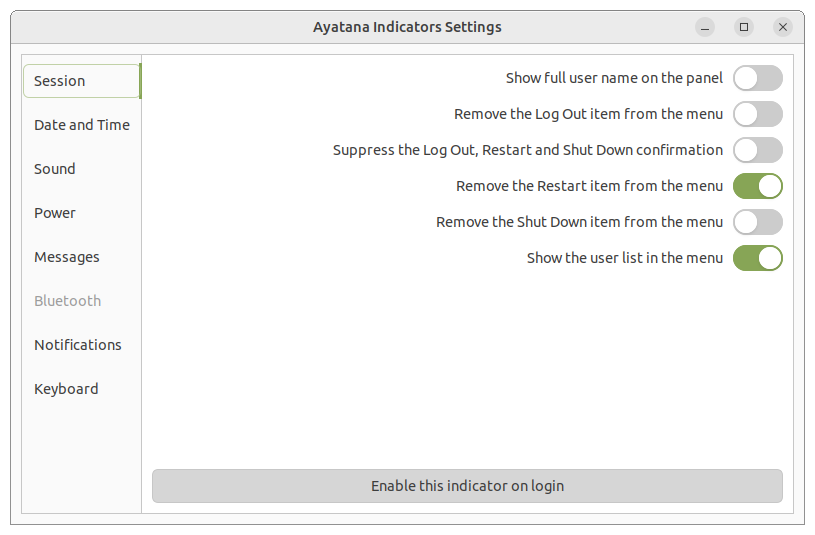
<p><strong>Ubuntu MATE 22.04 LTS comes with Ayatana Indicators 22.2.0 and sees the
return of Messages Indicator 📬 to the default install</strong>. Ayatana Indicators now
provide improved backwards compatibility to Ubuntu Indicators and no longer
requires the installation of two sets of libraries, saving RAM, CPU cycles and
improving battery endurance 🔋</p>

<p class="center"><img src="/images/blog/jammy/ayatana-settings.png" alt="Ayatana Indicator Settings" />
<strong>Ayatana Indicators Settings</strong></p>

<p>To compliment the BlueZ 5.64 protocol stack in Ubuntu, Ubuntu MATE ships
<strong>Blueman 2.2.4 which offers comprehensive management of Bluetooth devices and
much improved pairing compatibility</strong> 💙🦷</p>

<p>I also patched <code class="language-plaintext highlighter-rouge">mate-power-manager</code>, <code class="language-plaintext highlighter-rouge">ayatana-indicator-power</code> and Yaru to <strong>add
support for battery powered gaming input devices, such as controllers 🎮 and joysticks 🕹</strong></p>

<h3 id="active-directory">Active Directory</h3>

<p>And in case you missed it, the Ubuntu Desktop team added the option to enroll
your computer into an Active Directory domain 🔑 during install. Ubuntu MATE
has supported the same capability since it was first made available in the
20.10 release.</p>

<h3 id="raspberry-pi-image-">Raspberry Pi image 🥧</h3>

<ul>
  <li>Should be available very shortly after the release of 22.04.</li>
</ul>

<h3 id="major-applications">Major Applications</h3>

<p>Accompanying <strong>MATE Desktop 1.26.1</strong> and <strong>Linux 5.15</strong> are <strong>Firefox 99.0</strong>,
<strong>Celluloid 0.20</strong>, <strong>Evolution 3.44</strong> &amp; <strong>LibreOffice 7.3.2.1</strong></p>

<p>See the <a href="https://discourse.ubuntu.com/t/jammy-jellyfish-release-notes/24668">Ubuntu 22.04 Release Notes</a>
for details of all the changes and improvements that Ubuntu MATE benefits from.</p>

<div class="jumbotron">

    <h2>Download Ubuntu MATE 22.04 LTS</h2>

    <p>This new release will be first available for PC/Mac users.</p>


        <a href="/download/" class="btn">Download</a>
    

</div>

<h2 id="upgrading-from-ubuntu-mate-2004-lts-and-2110">Upgrading from Ubuntu MATE 20.04 LTS and 21.10</h2>

<p>You can upgrade to Ubuntu MATE 22.04 LTS from Ubuntu MATE either 20.04 LTS or
21.10. Ensure that you have all updates installed for your current version of
Ubuntu MATE before you upgrade.</p>

<ul>
  <li>Open the “Software &amp; Updates” from the Control Center.</li>
  <li>Select the 3rd Tab called “Updates”.</li>
  <li>Set the “Notify me of a new Ubuntu version” drop down menu to “For long-term support versions” if you are using 20.04 LTS; set it to “For any new version” if you are using 21.10.</li>
  <li>Press <kbd>Alt</kbd>+<kbd>F2</kbd> and type in <code class="language-plaintext highlighter-rouge">update-manager -c -d</code> into the command box.</li>
  <li>Update Manager should open up and tell you: New distribution release ‘XX.XX’ is available.
    <ul>
      <li>If not, you can use <code class="language-plaintext highlighter-rouge">/usr/lib/ubuntu-release-upgrader/check-new-release-gtk</code></li>
    </ul>
  </li>
  <li>Click “Upgrade” and follow the on-screen instructions.</li>
</ul>

<p>There are no offline upgrade options for Ubuntu MATE. Please ensure you have
network connectivity to one of the official mirrors or to a locally accessible
mirror and follow the instructions above.</p>

<h2 id="feedback">Feedback</h2>

<p>Is there anything you can help with or want to be involved in? Maybe you just
want to discuss your experiences or ask the maintainers some questions. Please
<a href="https://ubuntu-mate.community/">come and talk to us</a>.</p>]]></content><author><name>Martin Wimpress</name></author><category term="release" /><summary type="html"><![CDATA[What's new in Ubuntu MATE 22.04 LTS (Jammy Jellyfish)]]></summary></entry><entry xml:lang="en"><title type="html">Ubuntu MATE 21.10 for GPD Pocket 3</title><link href="https://ubuntu-mate.org/blog/ubuntu-mate-for-gpd-pocket3/" rel="alternate" type="text/html" title="Ubuntu MATE 21.10 for GPD Pocket 3" /><published>2022-01-21T00:00:00+00:00</published><updated>2022-01-21T15:04:26+00:00</updated><id>https://ubuntu-mate.org/blog/ubuntu-mate-for-gpd-pocket3</id><content type="html" xml:base="https://ubuntu-mate.org/blog/ubuntu-mate-for-gpd-pocket3/"><![CDATA[<p>In what has become something of a tradition, the Ubuntu MATE team have released
images for the <a href="https://www.gpd.hk/gpdpocket3">GPD Pocket 3</a> modular handheld PC.
<strong>Many thanks to the team at GPD for providing sample hardware for us to work with!</strong></p>

<p class="center"><img src="/images/blog/gpd-pocket3-laptop.jpg" alt="Ubuntu MATE 21.10 running on the GPD Pocket 3" />
<strong>Ubuntu MATE 21.10 running on the GPD Pocket 3</strong></p>

<div class="jumbotron">

    <h2>GPD Pocket 3 Download</h2>

    <p>The Ubuntu MATE 21.10 image for GPD Pocket 3 is available for download now</p>


        <a href="/download/" class="btn">Downloads</a>
    

</div>

<h2 id="tweaks-for-the-gpd-pocket-3">Tweaks for the GPD Pocket 3:</h2>

<p>All the hardware in the GPD Pocket 3 works with a modern Linux OS, but some
configuration tweaking is required to deliver an optimised <em>“out of box”</em>
experience. Here’s what we did:</p>

<ul>
  <li>Enable frame buffer and Xorg display rotation.</li>
  <li><strong>Accelerometer support for automatic screen rotation.</strong>
    <ul>
      <li>Also automatically rotates touch screen and stylus (draw and erase)</li>
    </ul>
  </li>
  <li>Enable <strong>fractional scaling by default</strong>
    <ul>
      <li>Results in an effective resolution of ~1280x800 to make the display panels easily readable.</li>
      <li>Simple to toggle on/off via the <em>Display Scaler</em> app if you want to restore full resolution.</li>
    </ul>
  </li>
  <li>Enable audio via the HDaudio legacy driver.</li>
  <li>Suspend is implemented via <code class="language-plaintext highlighter-rouge">s2idle</code>
    <ul>
      <li>A temporary workaround until S3 sleep state is supported.</li>
    </ul>
  </li>
  <li>Enable scroll wheel emulation while holding down the centre trackpad button.</li>
  <li>Enable Tear-Free rendering by default.</li>
  <li>Enable double size console (tty) font resolution.</li>
</ul>

<p>Sadly, no support for the fingerprint reader. AFAIK only USB fingerprint readers
are supported in Linux.</p>

<p class="center"><img src="/images/blog/gpd-pocket3-tablet.jpg" alt="Ubuntu MATE 21.10 running on the GPD Pocket 3 in Tablet mode" />
<strong>Ubuntu MATE 21.10 running on the GPD Pocket 3 in Tablet mode</strong></p>

<div class="jumbotron">

    <h2>More Details &amp; Downloads</h2>

    <p>Find out more about Ubuntu MATE for the GPD Pocket 3. Get the downloads!</p>


        <a href="/ports/umpcs/" class="btn">Details &amp; Downloads</a>
    

</div>]]></content><author><name>Martin Wimpress</name></author><category term="release" /><summary type="html"><![CDATA[Ubuntu MATE 21.10 for GPD Pocket 3]]></summary></entry><entry xml:lang="en"><title type="html">Ubuntu MATE 21.10 Release Notes</title><link href="https://ubuntu-mate.org/blog/ubuntu-mate-impish-indri-final-release/" rel="alternate" type="text/html" title="Ubuntu MATE 21.10 Release Notes" /><published>2021-10-14T00:00:00+00:00</published><updated>2024-04-24T21:55:28+00:00</updated><id>https://ubuntu-mate.org/blog/ubuntu-mate-impish</id><content type="html" xml:base="https://ubuntu-mate.org/blog/ubuntu-mate-impish-indri-final-release/"><![CDATA[<p>The significant change in Ubuntu MATE 21.10 is the introduction of <a href="https://mate-desktop.org/blog/2021-08-08-mate-1-26-released/">MATE Desktop
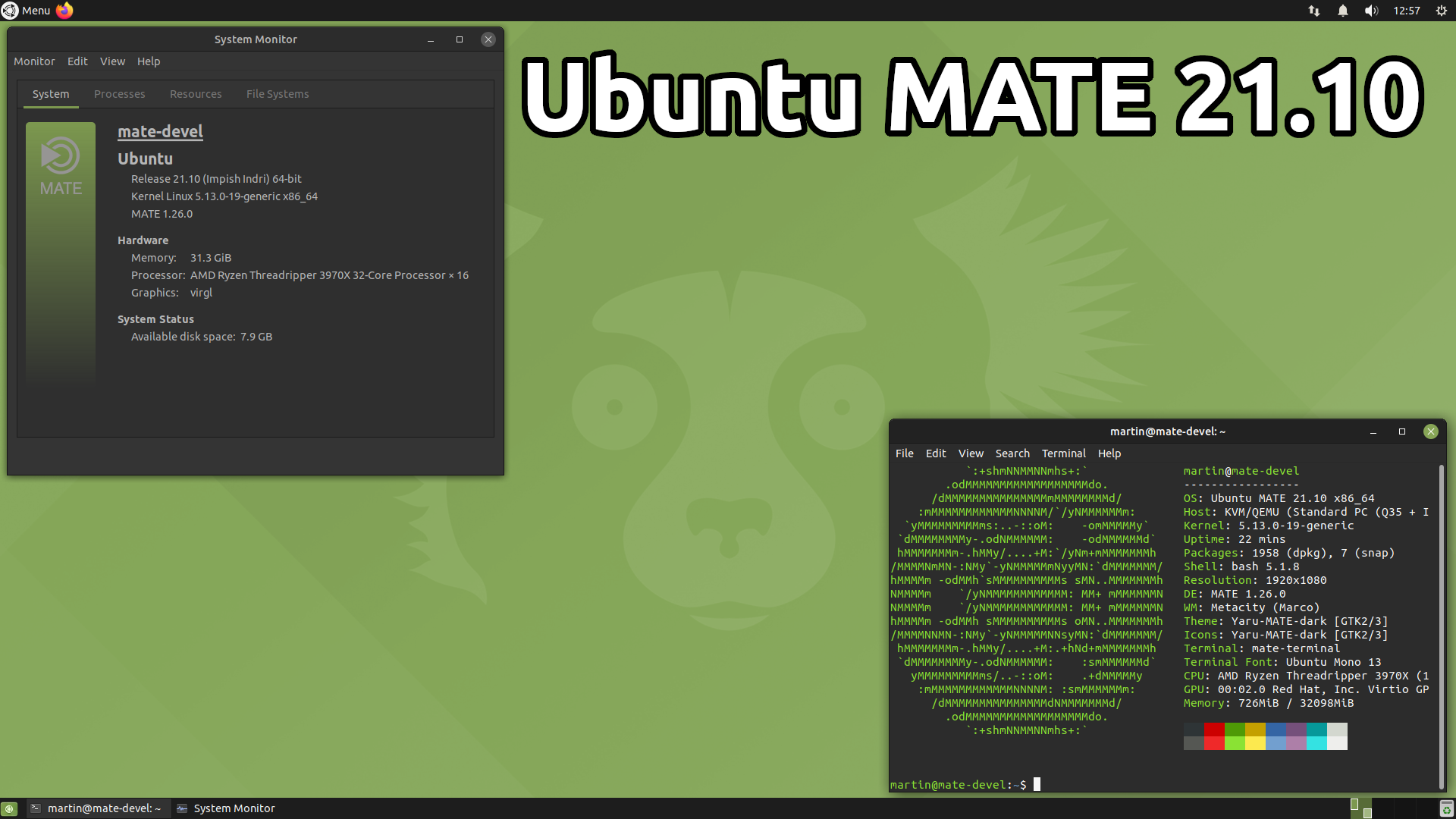
1.26.0</a> ✨ which was
18 months in the making. Thanks to the optimisations in MATE Desktop 1.26, Ubuntu
MATE 21.10 is faster and leaner 💪</p>

<p class="center"><img src="/images/blog/impish/impish-indri-desktop.png" alt="Ubuntu MATE 21.10" />
<strong>Ubuntu MATE 21.10 (Impish Indri).</strong></p>

<h2 id="what-changed-since-the-ubuntu-mate-2104">What changed since the Ubuntu MATE 21.04?</h2>

<p>Here are the highlights of what’s changed since the <a href="https://ubuntu-mate.org/blog/ubuntu-mate-hirsute-hippo-release-notes/">release of Hirsute
Hippo 🦛</a></p>

<h3 id="mate-desktop-">MATE Desktop 🧉</h3>

<p>A <strong>significant effort 😅 has been invested in fixing bugs 🐛 in MATE Desktop 1.26.0,
optimising performance ⚡ and plugging memory leaks</strong>. MATE Desktop is faster and
leaner as a result and it’s <strong>underpinnings have been modernised and updated</strong>. This
last point mostly benefits developers working on MATE, but is important to
highlight to users at it demonstrates <strong>MATE Desktop is being maintained to ensure it’s longevity</strong>.</p>

<p>Here are some of the other <strong>quality of life 💌 improvements in MATE Desktop 1.26</strong>:</p>

<ul>
  <li>The Control Center features:
    <ul>
      <li>Improved Window Preferences dialog with a more <strong>comprehensive window behaviour and placement options</strong> presented.</li>
      <li>Display preferences now has an option for <strong>discrete display scaling</strong>.</li>
      <li>Power Manager has a new option to enable keyboard dimming.</li>
      <li>Notifications now support for hyperlinks.</li>
    </ul>
  </li>
  <li>Caja can <strong>format drives and has a new Bookmarks sidebar</strong>.</li>
  <li><strong>Caja Actions</strong>, which allows you to add arbitrary programs to be launched through the context menu, is now part of the Desktop.</li>
  <li>Calculator now uses GNU MPFR/MPC for <strong>high precision, faster computation and additional functions</strong>.</li>
  <li>Pluma has a <strong>new mini map instant overview</strong>, a grid background to turn Pluma into a writing pad and the preferences have been redesigned.</li>
  <li>Atril is much <strong>faster scrolling through large documents and the memory footprint has been reduced</strong>.</li>
  <li>Engrampa, the archive manager, now <strong>supports EPUB, ARC and encrypted RAR files</strong>.</li>
  <li>Marco, the windows manager:
    <ul>
      <li>Correctly restores minimised windows to their original position.</li>
      <li>Thumbnail <strong>window previews support HiDPI</strong>.</li>
    </ul>
  </li>
  <li>Netspeed applet shows <strong>more information about your network interfaces</strong>.</li>
</ul>

<p>While MATE Desktop is not completely ready for Wayland just yet, 1.26.0
represents a significant stepping stone towards that objective with <strong>most of the
MATE Desktop being able to run on a Wayland compositor</strong>. 👍</p>

<h3 id="ubuntu-mate-enhancements">Ubuntu MATE Enhancements</h3>

<p>Ubuntu MATE has tweaked 🔧 the default desktop configuration slighty:</p>

<ul>
  <li>Image Extrapolation and Interpolation is disabled by default in Eye of MATE to make <strong>image viewing faster and image quality sharper</strong>.</li>
  <li>The <strong>Alt-Tab pop-up is now expanded</strong> to fit long window titles.</li>
  <li>If you use the <strong>Mutiny layout, session loading is now faster</strong>.</li>
</ul>

<h3 id="guest-session">Guest Session</h3>

<p>Once in a while a friend, family member, or colleague may want to borrow your
computer 😱 The <strong>Guest Session provides a convenient way, with a high level of
security, to lend your computer to someone else</strong>. A guest session can be launched
either from the login screen or from within a regular session. If you are
currently logged in, click the icon at the far right of the menu bar and select
Guest Session. This will lock the screen for your own session and start the
guest session.</p>

<p>A <strong>guest cannot view the home folders of other users, and by default any saved
data or changed settings will be removed/reset at logout</strong>. It means that each
session starts with a fresh environment, unaffected by what previous guests did.</p>

<h3 id="redshift">RedShift</h3>

<p>RedShift makes a return, after being temporarily removed in Ubuntu MATE 21.04.</p>

<h2 id="raspberry-pi-images">Raspberry Pi images</h2>

<p>We will be refreshing our Ubuntu MATE images for Raspberry Pi in the coming
weeks.</p>

<h2 id="major-applications">Major Applications</h2>

<p>Accompanying <strong>MATE Desktop 1.26.0</strong> and <strong>Linux 5.13</strong> are <strong>Firefox 93.0</strong>,
<strong>Celluloid 0.20</strong>, <strong>LibreOffice 7.2.1.2</strong></p>

<p>See the <a href="https://discourse.ubuntu.com/t/impish-indri-release-notes/21951">Ubuntu 21.10 Release Notes</a>
for details of all the changes and improvements that Ubuntu MATE benefits from.</p>

<div class="jumbotron">

    <h2>Download Ubuntu MATE 21.10</h2>

    <p>This new release will be first available for PC/Mac users.</p>


        <a href="/download/" class="btn">Download</a>
    

</div>

<h2 id="upgrading-from-ubuntu-mate-2104">Upgrading from Ubuntu MATE 21.04</h2>

<p>You can upgrade to Ubuntu MATE 21.10 from Ubuntu MATE 21.04. Ensure that you
have all updates installed for your current version of Ubuntu MATE before you
upgrade.</p>

<ul>
  <li>Open the “Software &amp; Updates” from the Control Center.</li>
  <li>Select the 3rd Tab called “Updates”.</li>
  <li>Set the “Notify me of a new Ubuntu version” drop down menu to “For any new version”.</li>
  <li>Press <kbd>Alt</kbd>+<kbd>F2</kbd> and type in <code class="language-plaintext highlighter-rouge">update-manager -c -d</code> into the command box.</li>
  <li>Update Manager should open up and tell you: New distribution release ‘XX.XX’ is available.
    <ul>
      <li>If not, you can use <code class="language-plaintext highlighter-rouge">/usr/lib/ubuntu-release-upgrader/check-new-release-gtk</code></li>
    </ul>
  </li>
  <li>Click “Upgrade” and follow the on-screen instructions.</li>
</ul>

<p>There are no offline upgrade options for Ubuntu MATE. Please ensure you have
network connectivity to one of the official mirrors or to a locally accessible
mirror and follow the instructions above.</p>

<h2 id="feedback">Feedback</h2>

<p>Is there anything you can help with or want to be involved in? Maybe you just
want to discuss your experiences or ask the maintainers some questions. Please
<a href="https://ubuntu-mate.community/">come and talk to us</a>.</p>]]></content><author><name>Martin Wimpress</name></author><category term="release" /><summary type="html"><![CDATA[What's new in Ubuntu MATE 21.10 (Impish Indri)]]></summary></entry></feed>